EasyManua.ls Logo

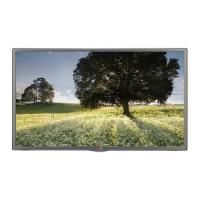
LG 55LX570H - User Manual

LG 55LX570H
44 pages
Print Icon
To Next Page IconTo Next Page
Loading...
www.lg.com
Please read this manual carefully before operating
your TV and retain it for future reference.
32LX560H
40LX560H
43LX560H
49LX560H
32LX570H
40LX570H
43LX570H
49LX570H
55LX570H
65LX570H
Safety and Reference
OWNER’S MANUAL
LED TV*
* LG LED TVs are LCD TVs with LED backlighting.
*MFL68925822*
P/No : MFL68925822 (1611-REV04)

Other manuals for LG 55LX570H

Questions and Answers

  • B
    Bobby PhillipsAug 10, 2025
    What to do if there is no picture on my LG 55LX570H LED TV?
    • J
      Jessica RamirezAug 10, 2025
      If your LG LED TV shows no picture, first, ensure the TV is turned ON. Check if the antenna or cable is properly connected to the TV. Verify all connections to the TV are correct. If applicable, ensure the MPI cable is connected to the MPI device. If you're on an encrypted program, try switching to another channel. Finally, check and adjust the Installer Menu settings if the tuning band is incorrect.
  • M
    Michael ContrerasAug 16, 2025
    Why doesn't my LG LED TV remote work?
    • V
      vstoneAug 16, 2025
      If your LG LED TV remote isn't working, first ensure it's in 'TV' mode using the MODE key. Point the remote directly at the IR receiver on the TV, and make sure you're close enough with no obstructions in the path. If applicable, check that the MPI cable is connected to the MPI device. Replace the batteries, ensuring they are correctly oriented. Dim the room light, as too much light can interfere. If none of these steps work, you may need a compatible LG Installer Remote; contact your LG representative.
  • K
    Kathleen GloverAug 22, 2025
    How to fix poor or no sound on LG LED TV with normal picture?
    • C
      Carlos GrossAug 22, 2025
      If your LG LED TV has a normal picture but poor or no sound, first, check if the audio is muted. Press the MUTE button or use the Volume Up key to increase the sound level. If that doesn't work, the issue might be with the broadcast itself, so try changing to a different channel.
  • R
    robert32Aug 28, 2025
    What to do if I get a 'Communications Timeout' error on my LG LED TV?
    • G
      gandradeAug 28, 2025
      If you're getting a 'Communications Timeout' error on your LG LED TV, start by checking and connecting all communication cables. Make sure the TV power cord is connected and that the TV is turned ON. Finally, in the FTG Device Configuration Application, verify that you've selected the correct COM port for the cable you're using.
  • C
    Christopher BullockSep 3, 2025
    How to fix LG LED TV when I cannot directly enter a channel number?
    • M
      Mr. Nathan MoralesSep 3, 2025
      If you cannot directly enter a channel number on your LG LED TV, it could be because the TV is in Pass-through Mode and Installer Menu item 028 CH. OVERIDE is set to 0 (disabled). To fix this, set CH. OVERIDE to 1 to allow direct keypad entry. Alternatively, if the TV is in FTG Mode, the channel might not be included in the FTG Channel Map. In that case, modify the FTG Channel Map using the FTG File Manager or the FTG Device Configuration Application.

LG 55LX570H Specifications

General IconGeneral
Display TechnologyLED
Screen Size55 inches
Resolution1920 x 1080
Refresh Rate60 Hz
Smart TVYes
HDMI Ports2
USB Ports1
Built-in Wi-FiYes
3D CapabilityNo

Related product manuals