A-10
SETTING UP THE TV / MAKING CONNECTIONS
MAKING CONNECTIONS
This section on MAKING CONNECTIONS mainly uses
GLDJUDPVIRUWKH8%PRGHOV
Antenna Connection
English
Connect the TV to a wall antenna socket with an RF
FDEOH
y
8VHDVLJQDOVSOLWWHUWRXVHPRUHWKDQ79V
y
If the image quality is poor, install a signal
DPSOLILHUSURSHUO\WRLPSURYHWKHLPDJHTXDOLW\
y
If the image quality is poor with an antenna
connected, try to realign the antenna in the
FRUUHFWGLUHFWLRQ
y
$QDQWHQQDFDEOHDQGFRQYHUWHUDUHQRWVXSSOLHG
y
Supported DTV Audio: MPEG, Dolby Digital,
Dolby Digital Plus, HE-AAC
NOTE
Wall Antenna Socket
IN
ANTENNA / CABLE
(*Not Provided)
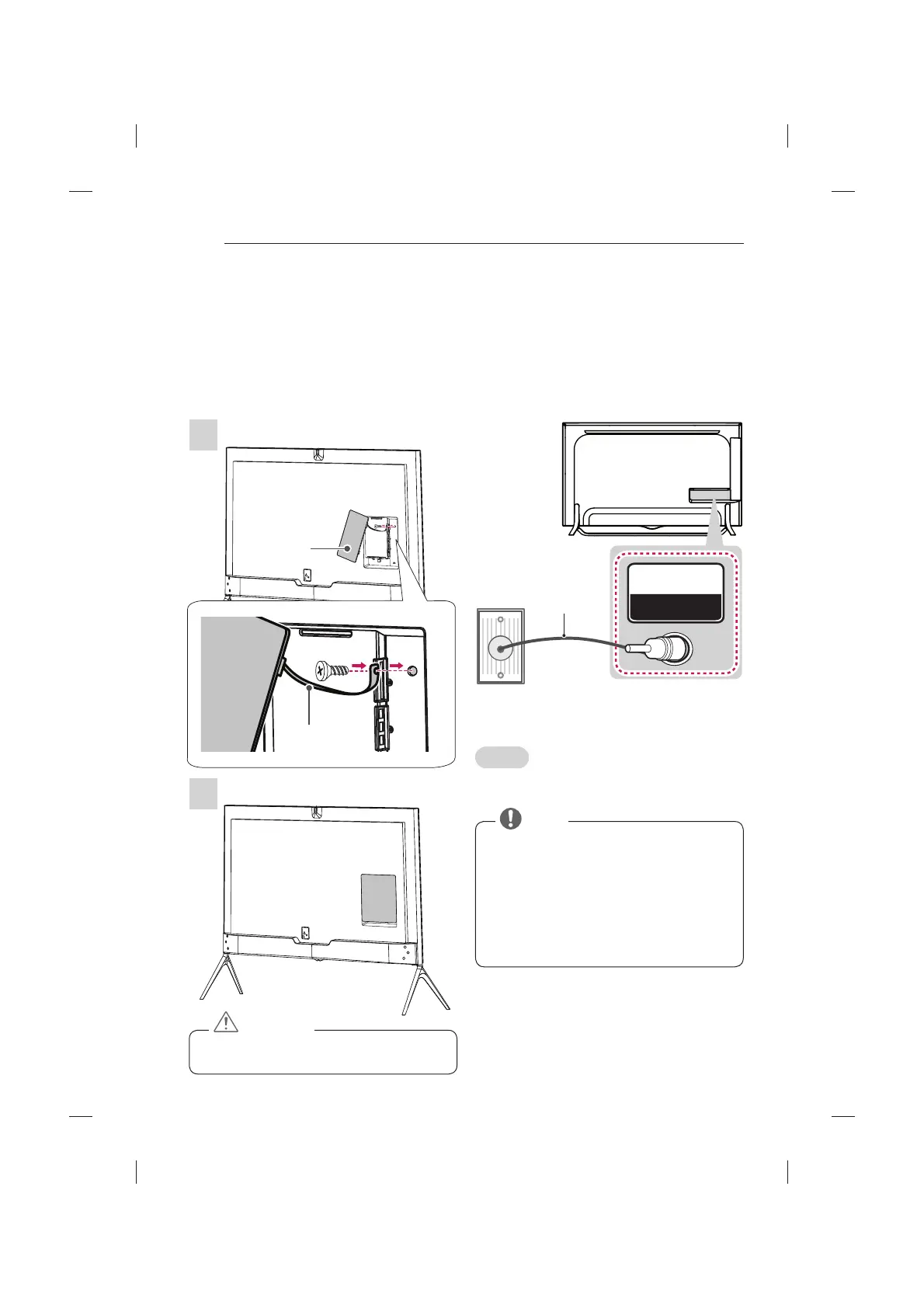
Assembling the AV cover
(Only 98UB98**)
1 Insert the cover holder attached to the AV port cover
into the hole of the main body of the product as
LOOXVWUDWHG
2 $WWDFKWKHSRUWFRYHURQWRWKH$9SRUWSDUW7KH
cover remains attached through the use of a
PDJQHW
y
If you do not attach the cover holder, the cover
PD\IDOORIIDQGFDXVHLQMXU\
CAUTION
AV Port Cover
Cover Holder
2
1


 To Next Page
 Loading...