A9
Making adjustments to the image size, position and operating
parameters of the monitor are quick and easy with the On Screen
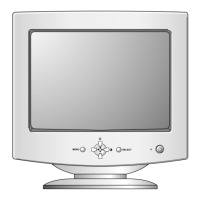
Display Control system, using only the Enter button and Adjustment
Control buttons. A quick example is given below to familiarize you
with the use of the controls. Following this section is an outline of the
available adjustments and selections you can make using the OSD.
Note : Allow the monitor to stabilize for at least 30 minutes before making
image adjustment.
On Screen Display (OSD) Control Adjustment
A single press of the ENTER
button( ) will present you with
the Main Menu of the on screen
display system .
You want to move to the next
icon, Adjust the next button
( )control.
then press the ENTER button.
When you are done, Press the
ENTER button ( ) once to
return to the menu to make
another selection.
11
11
22
22
Select an OSD icon to be
adjusted.( )
Adjust the level of the
selected item.( )



 To Next Page
 Loading...