35
Messages
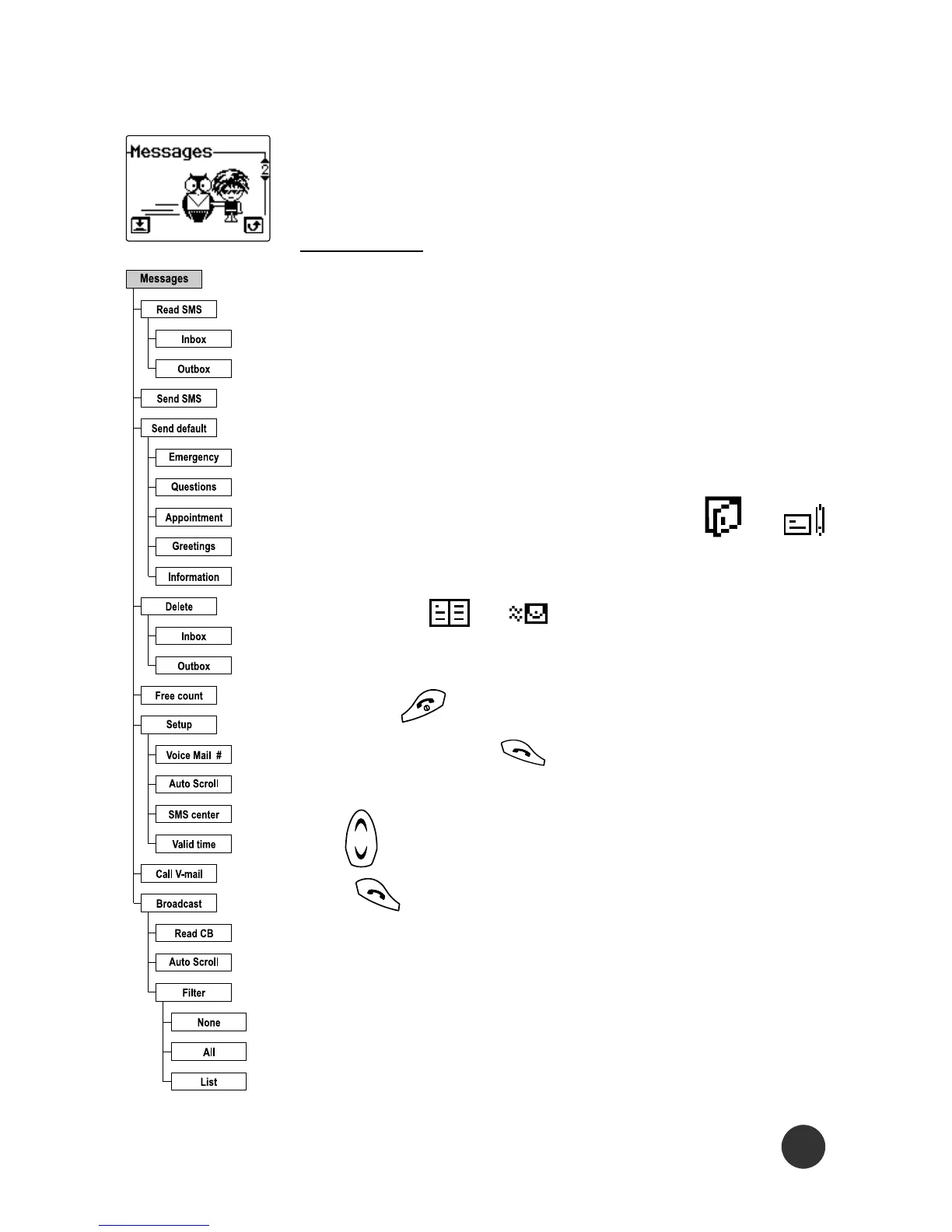
This selects the different Messages functions.
Read SMS
Selecting this menu allows you to enter into a
submenu that consists of 2 items: Inbox and
Outbox.
Selecting one of these 2 items will present
you with a list of message headers that are
currently stored in your SIM card. or
signal indicates whether a message is unread
or unsent. or signal indicates whether
a message is read or sent.
Pressing moves you one level back in the
menu. Pressing allows you to view the
complete text of the selected message. Press-
ing allows you to scroll through the texts.
The (Options) key brings up a submenu,
which could be either Delete or Send SMS. From
messages from Inbox, other Option menus
(Delete, Forward, Reply) are available to you.



 To Next Page