40
Audio Profile
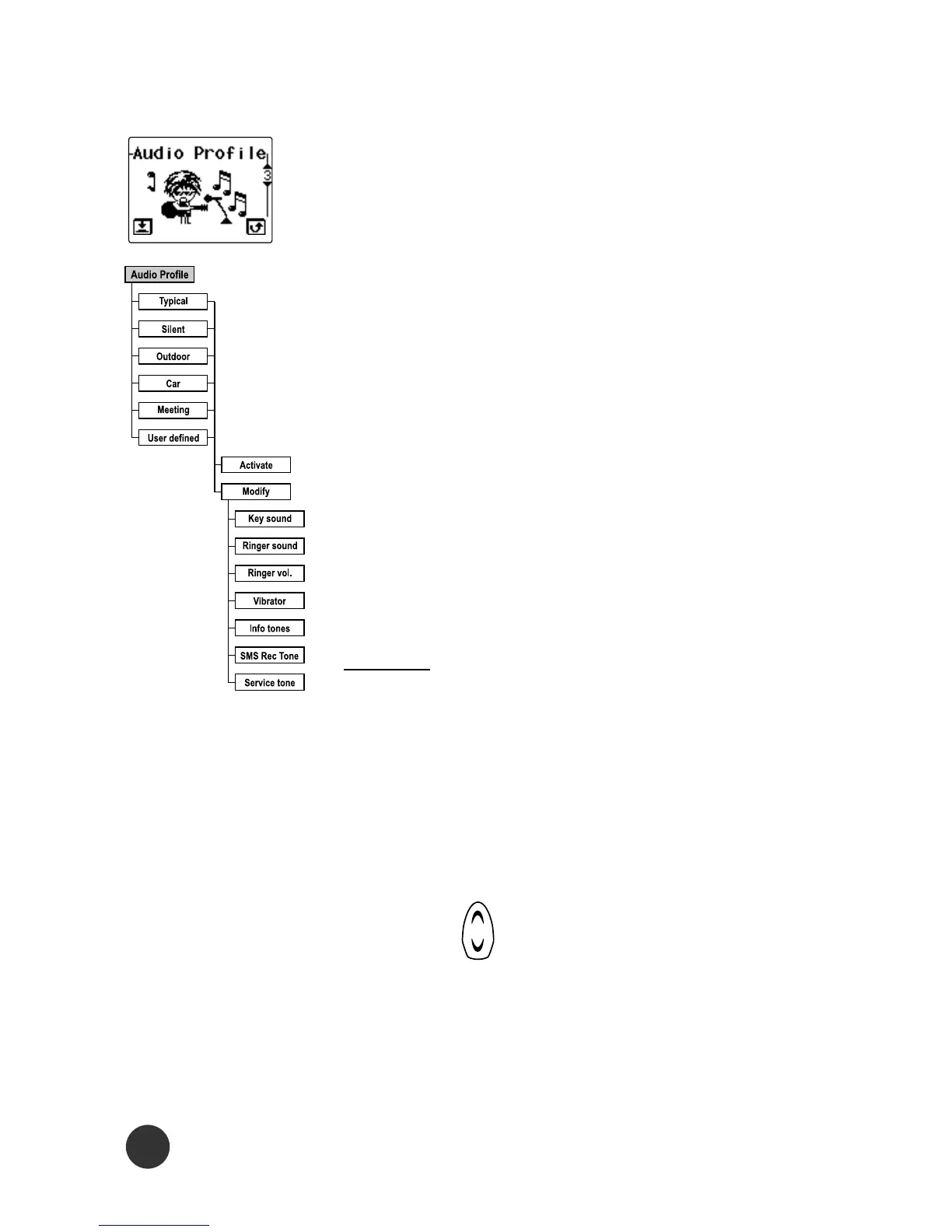
All the audio settings are grouped and you
can choose the most suitable group ac-
cording to your requirement. There are
6 different groups: Typical, Silent,
Outdoor, Car, Meeting, and User defined.
To activate one, you just select the group
you want and then select the Activate
menu. To modify the settings, you just
select the group and then select the
Modify menu.
Modify
Key sound
You can set the volume of the keypad
tones on/off.
Ringer sound
Using the key allows you to select the
ringing tone pattern. There are 15 dif-
ferent ringing tones or melodies for your
selection.



 To Next Page