56
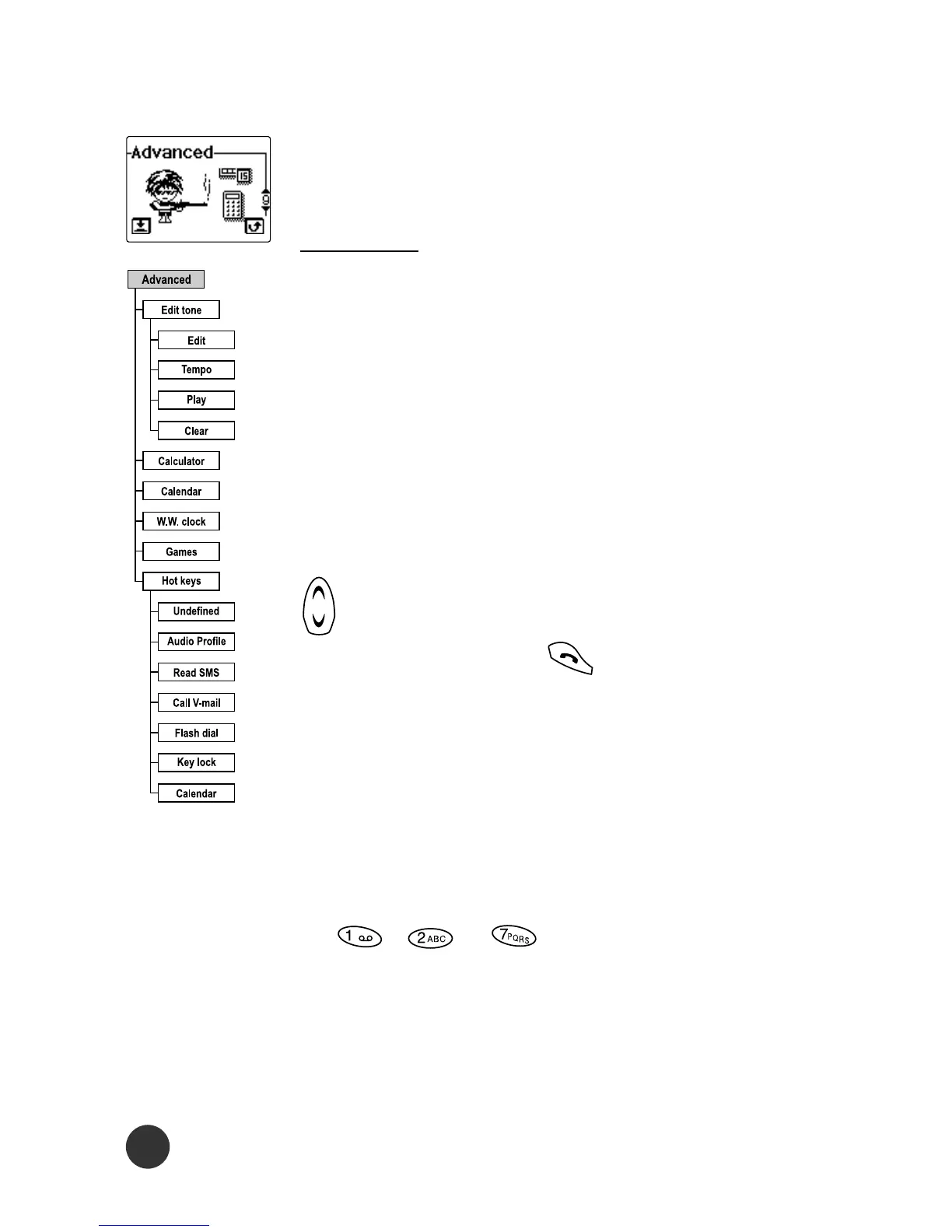
Advanced
Good useful functions for user.
Edit tone
This function allows you to create one new
melody at the end of the ringer sound menu
selection.
Edit
This menu allows you to add or modify each
note of the pre-defined ringer one by one.
When you enter the menu, you can use the
key to choose which note you want to
edit. We can press to enter the Add
and Delete submenu.
l Add submenu: You can add a new note.
l Delete submenu: you can delete an edited
note.
The utility of all keys are described below:
(1) , - keys are note of Do,
Re, - Ti respectively and they are shown
in C, D, E, F, G, A, B symbol respectively.



 To Next Page