53Operation
Operation
4
Searching photos
You can enter a search word to nd related
photos.
1. Select the [Search] on the Picasa™ menu
using
vVY
, and press ENTER ( ).
2. Enter a search word using the virtual
keyboard.
Refer to “Using the virtual keyboard” on
page 49 for using virtual keyboard.
3. Select [OK] using
vVY
, and press ENTER
( ) to display the search result.
NOTE
The search result from the player may dier with
the result searched from a web browser on PC.
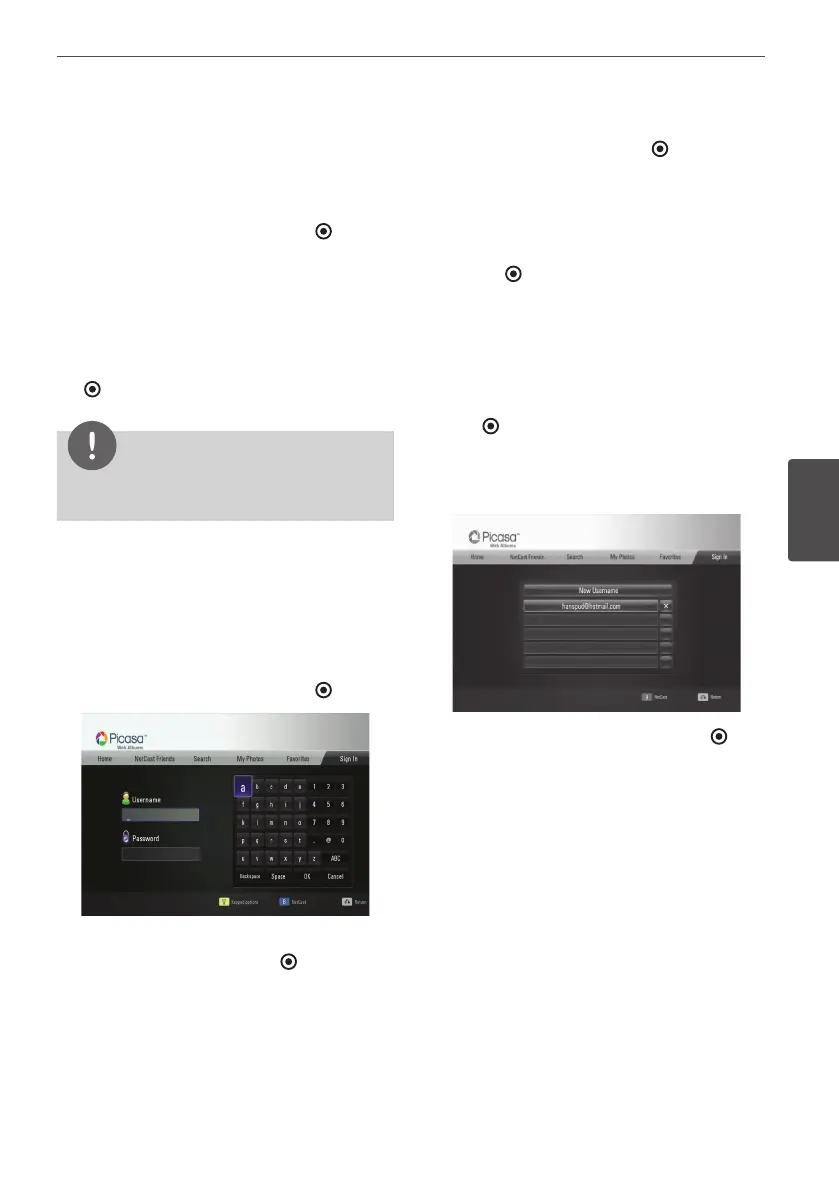
Signing in with your account
To display photos in your web album on the
screen, you need to sign in with your Picasa™
account.
1. Select the [Sign In] on the Picasa™ menu
using
vVY
, and press ENTER ( ).
2. Enter your user name using the virtual
keyboard, and press ENTER ( ) while [OK] is
selected.
Refer to “Using the virtual keyboard” on
page 49 for using virtual keyboard.
3. Enter the password using the virtual
keyboard, and press ENTER ( ) while [OK] is
selected.
Your web album is appeared on the screen.
4. If you want to sign out, select the [Sign Out]
from the Picasa™ menu and press
ENTER ( ).
This unit can automatically store up to 5 user
names which were previously signed-in. The
user name list appears when you select the
[Sign In] option.
Select a stored user name on the list and press
ENTER ( ) to display the virtual keyboard with
the selected user name is entered. You will
then only need to enter the password to sign
in.
Select the [X] symbol and press ENTER ( ) to
delete the stored user name.



 To Next Page