System Setting28
System Setting
3
Audio
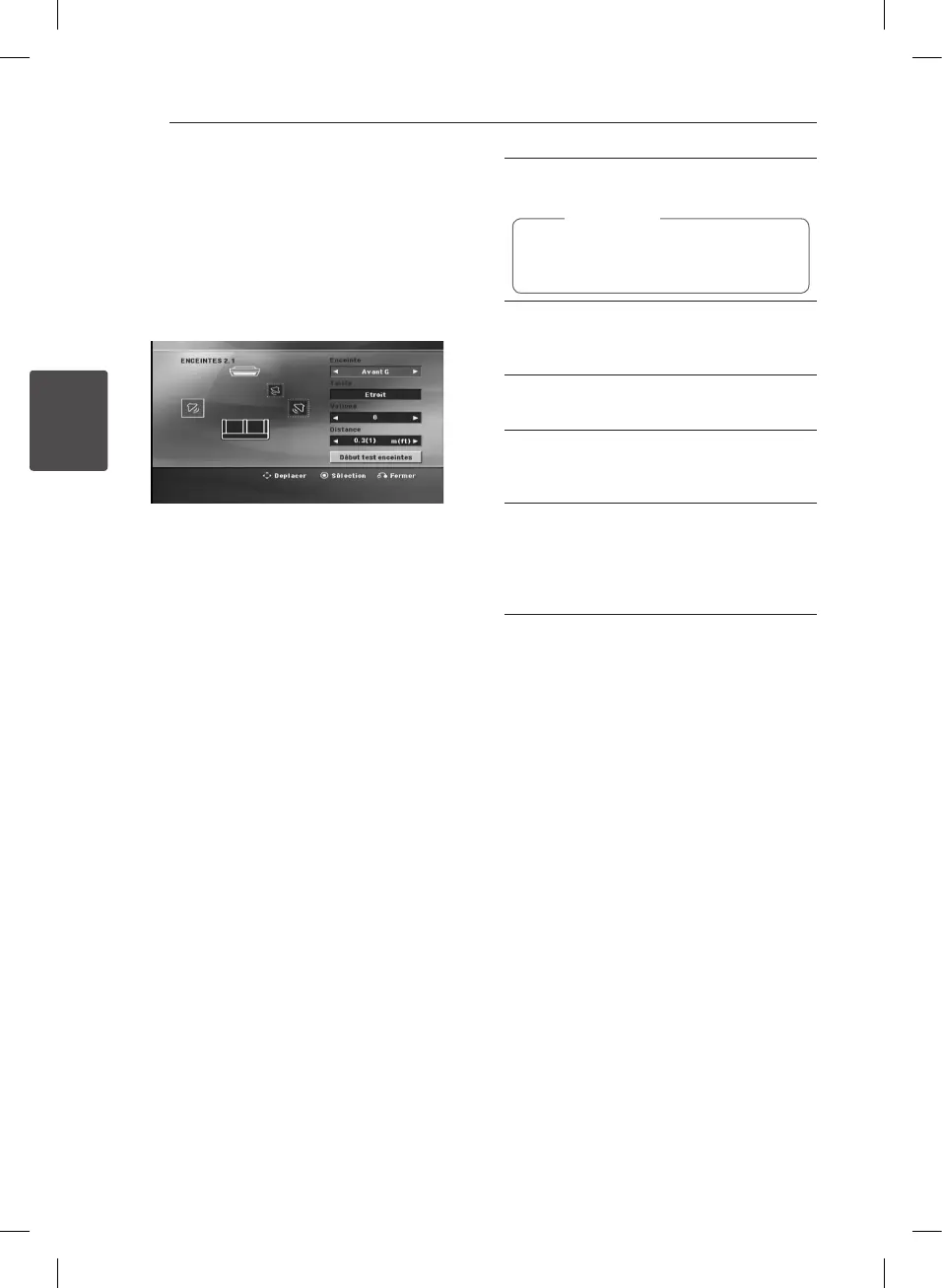
2.1 Speaker Setup
Make the following settings for the built-in 2.1
channel surround decoder.
1. Select [2.1 Speaker Setup] on the [Audio] menu.
2. Press
b
ENTER.
The [2.1 SPEAKER] appears.
3. Use
AD
to select the desired speaker.
4. Adjust options using
WSAD
buttons.
5. Returns to the previous menu by pressing
x
RETURN.
[Speaker]
Select a speaker that you want to adjust.
Certain speaker settings are prohibited by
the Dolby Digital licensing agreement.
,
Note
[Size]
Since the speaker settings are xed, you cannot
change the settings.
[Volume]
Adjust the output level of each speaker.
[Distance]
Adjust the distance between each speaker and
the listening position.
[Speaker Test Start]
Select [Speaker Test Start] by using the
WS
and press
b
ENTER. Press
b
ENTER again to
stop. Adjust the volume to match the volume
of test signals memorized in the system.



 To Next Page