Copyrightⓒ. 2019. All Rights Reserved.
1. PoE Connection with AP
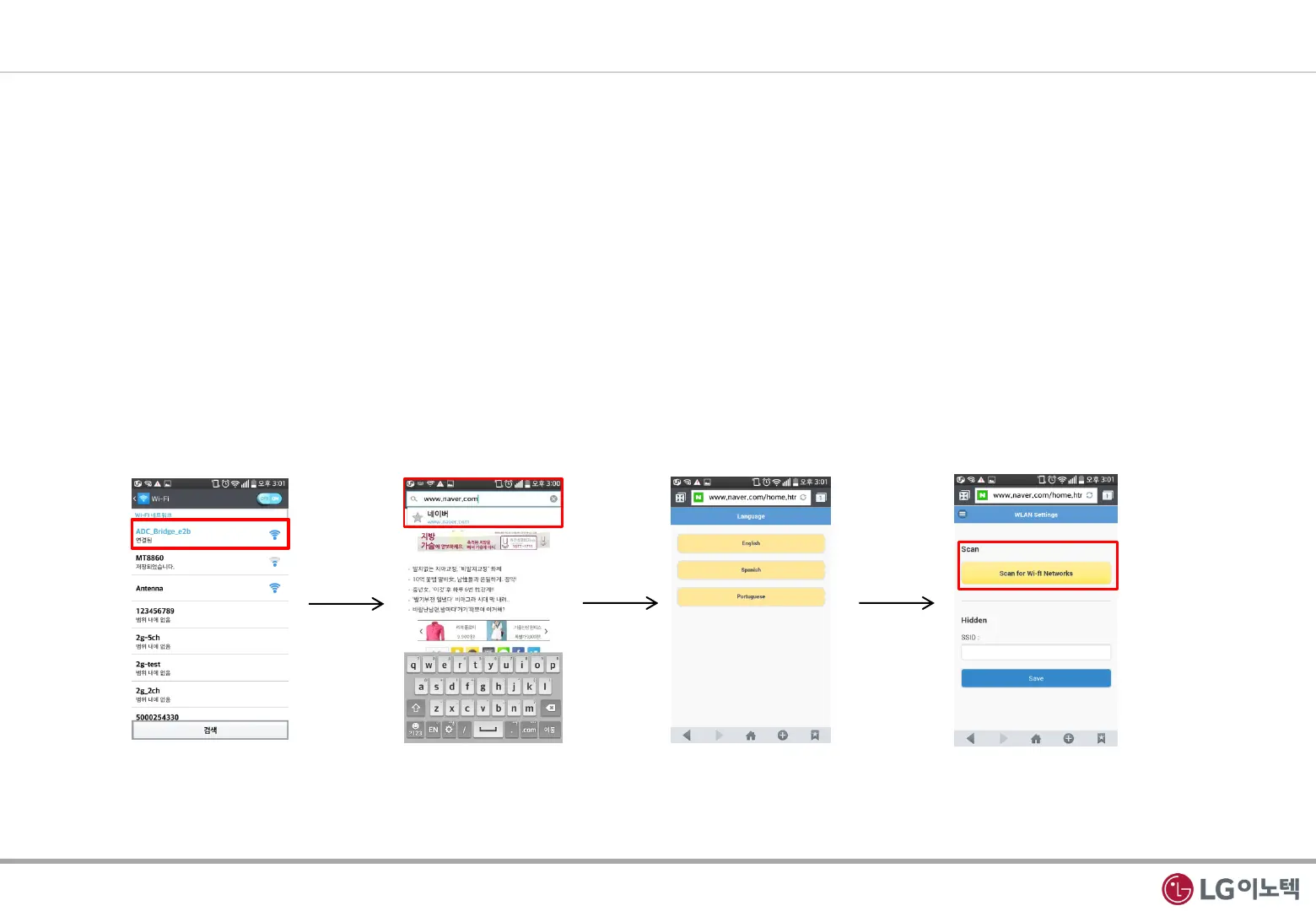
1) You can connect to AP by cellular phone
① Insert PoE WLAN Bridge to AC Power. PoE WLAN Bridge is AP mode at first.
② Turn on the WLAN in your cellular phone and search AP List.
③ Select SSID ADC_Bridge_xxx. The xxx is Mac Address final three numbers(e2b in below picture). You can check in Label
④ Open internet explorer and input any URL address. If you insert every URL, you connect PoE WLAN Bridge wep page.
⑤ Please select language. Now PoE WLAN Bridge support three language.
⑥ Please click scan for WLAN Networks. If you use hidden SSID, input the SSID by yourself.
2. Installation Guide
3 / 5
①, ②, ③
④
⑤
⑥



 To Next Page