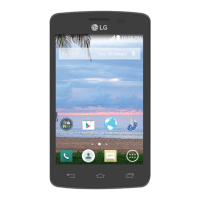
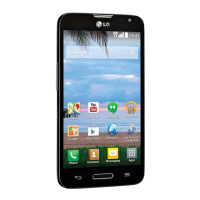
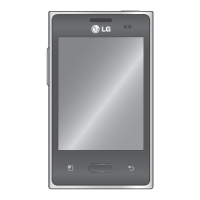
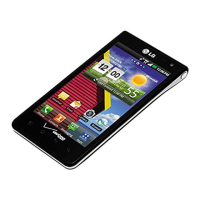
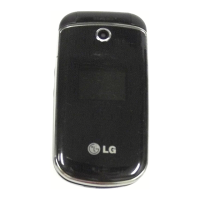
This document describes the LG Fiesta 2 LTE (LG L164VL) smartphone, a device designed for safe and proper use with a range of custom-designed features, basic functions, and useful applications. The manual provides detailed instructions for operation, settings, and maintenance.
Function Description
The LG Fiesta 2 LTE is a smartphone that allows users to make calls, send messages, take photos and videos, manage contacts, and utilize various applications. It supports multi-tasking with a Multi-Window feature, enabling two apps to be used simultaneously. The device also includes a "quick share" function for immediate sharing of photos and videos after capture. Users can customize the Home screen layout, manage notifications, and adjust various phone settings to suit their preferences. The phone supports memory card encryption for data protection and offers several accessibility features for users with diverse needs.
Important Technical Specifications
- Memory Card Support: The device supports up to a 2 TB microSD card. It is recommended to use the exFAT file system for memory cards larger than 32GB.
- Battery: The device uses a Li-Ion battery. Charging is done via a USB cable and an LG-approved charger. Fast charging is supported with the genuine adapter.
- Display: The screen orientation can be set to automatically switch based on the device's physical orientation. Users can customize font type, size, bold text, brightness, and display size.
- Connectivity: Supports Wi-Fi (including Wi-Fi Direct), Bluetooth, and mobile data (LTE). It can also function as a Wi-Fi hotspot and supports USB tethering to share mobile data with other devices.
- Camera: Features front and rear cameras with options for photo size, video resolution, HDR, timer, cheese shutter (voice commands), and tag locations (GPS data). The front camera includes "Selfie shot" features like Gesture shot and Auto shot, and "Interval shot" for continuous selfies.
- Operating System: The device's operating system can be updated via the Internet or Over-the-Air (OTA).
- SAR Values: Head: 1.01 W/kg; Body (Body-worn/Hotspot): 0.68 W/kg. These values comply with FCC RF exposure guidelines.
- Hearing Aid Compatibility (HAC): The phone has been tested and rated for use with hearing aids, with M-Ratings and T-Ratings indicating compatibility levels.
Usage Features
- Multi-tasking Feature (Multi-Window): Allows users to run two applications simultaneously by splitting the screen. This feature is activated by touching and holding the Overview button.
- Quick Share: Enables immediate sharing of photos or videos to a selected app after capture.
- Touch Screen Gestures: Supports tapping, touching and holding, double-tapping, dragging, swiping, pinching, and spreading for intuitive navigation and control.
- Home Screen Customization: Users can rearrange apps and widgets, create folders, change wallpaper, set screen swipe effects, sort apps, and hide apps. Home touch buttons can also be customized.
- Screen Lock: Offers various screen lock methods including Swipe, Knock Code, Pattern, PIN, and Password for security. Secure start-up can be configured for data protection.
- KnockON: Allows turning the screen on or off by double-tapping.
- Memory Card Encryption: Protects data saved on the memory card, making it inaccessible from other devices.
- Taking Screenshots: Screenshots can be captured via a shortcut (Power/Lock key + Volume Down key) or through Capture+.
- Entering Text: Utilizes a Smart keyboard with features like word suggestions, customizable QWERTY keyboard layout, adjustable keyboard height, one-handed operation mode, and voice input. The Clip Tray stores copied/cut items for easy pasting.
- Do Not Disturb: Limits or mutes notifications for specific periods, with options for "Priority only" and "Total silence."
- Phone Functions: Includes making and answering calls, rejecting calls with messages, viewing call records, and configuring call options (e.g., HD Voice).
- Messaging: Allows sending and receiving text messages, with options to attach files and customize settings.
- Camera Functions: Provides various camera modes and settings for both front and rear cameras, including HDR, timer, voice commands for photos, and selfie-specific features.
- Gallery: Manages and views photos and videos, with options for editing, deleting, and sharing files.
- Email: Supports registering and managing multiple email accounts, sending, and receiving emails.
- Calendar: Manages events and tasks, with an "Event pocket" for temporarily saving content.
- Clock: Includes Alarm, World clock, Stopwatch, and Timer functions.
- QuickMemo+: Enables creation of creative notes, including image management and screenshots, with options for handwritten notes and text input.
- Calculator: Offers simple and scientific calculator modes.
- Downloads: Manages downloaded files.
- File Manager: Views and manages files on the device or cloud storage.
- FM Radio: Allows listening to FM radio (requires earphones as antenna).
- Voice Recorder: Records and plays back voice files.
- Contacts: Manages contacts, including adding new contacts, importing from other storage, adding to speed dial, searching, editing, deleting, and creating groups.
- Music: Plays and manages music files, with options for playlists, repeat modes, and sound adjustments.
- Tasks: Registers and manages tasks.
- Voicemail: Manages voicemail directly from the phone.
- Google Apps: Integrates various Google services like Chrome, Docs, Drive, Gmail, Google Search, Maps, Duo, Photos, Play Movies & TV, Play Music, Sheets, Slides, and YouTube.
- Phone Settings: Comprehensive settings for wireless networks (Wi-Fi, Bluetooth, Mobile data, Tethering, VPN), device (Sound, Notifications, Display, Home screen, Lock screen, Storage, Battery & power saving, Memory, Apps), personal (Location, Security, Accounts & sync, Language & keyboard, Backup & reset, Google services), and system (Shortcut keys, Date & time, Accessibility, About phone, Regulatory & Safety).
Maintenance Features
- Phone Software Update: Allows updating the device firmware via the Internet or OTA. Users are advised to back up personal data before updating.
- Battery Optimization: Tips to extend battery life include turning off unused radio communications (Wi-Fi, Bluetooth, GPS), reducing screen brightness, setting shorter screen timeouts, turning off automatic syncing, and checking battery usage details.
- Troubleshooting (FAQ): Provides solutions for common problems such as SIM card errors, network connection issues, incorrect codes, app malfunctions, call problems, charging errors, and screen freezes.
- Anti-Theft Guide: Instructions on how to protect the device from unauthorized use if lost or stolen, by setting a screen lock and adding a Google account.
- Safety Information: Comprehensive guidelines for safe use, including warnings against exposing the phone to extreme heat, water, or physical shock, using only genuine LG accessories, and proper handling of the battery and charger. It also includes information on RF exposure, HAC regulations, and driver safety tips.
- Factory Data Reset: Resets all settings and deletes data on the device, with options for network settings reset and full factory reset.

 Need help?
 General

 To Next Page