
 Need help?
Do you have a question about the LG LC7F-P and is the answer not in the manual?
Details the Infotainment system's capabilities, including radio, USB/iPod playback, and Bluetooth.
Lists technical specifications like model, dimensions, weight, power source, and operating temperature.
Details Bluetooth RF specifications like frequency, modulation type, datatate, and version.
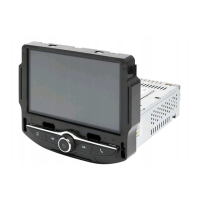
Displays Play/Reception/Menu state and information on the unit.
Press to enter the home menu.
Press to seek the station or media contents.
Press and hold to turn the power on/off.
Rotate the knob to adjust the volume.
Accesses the Phone screen or Bluetooth device management.
Details how to rotate and push the volume knob for volume and mute functions.
Explains tap, press & hold, fling/swipe, and pinch & spread touch gestures.
Device complies with Part 15 of FCC Rules, subject to interference conditions.
Changes not approved by party responsible for compliance void user authority.
Antenna must maintain 20 cm separation from persons; not co-located with other transmitters.
LG Electronics declares device compliance with essential requirements of Directive 1999/5/EC.
 General
| Brand | LG |
|---|---|
| Model | LC7F-P |
| Category | Car receivers |
| Language | English |

 To Next Page