19
Ch3. System information
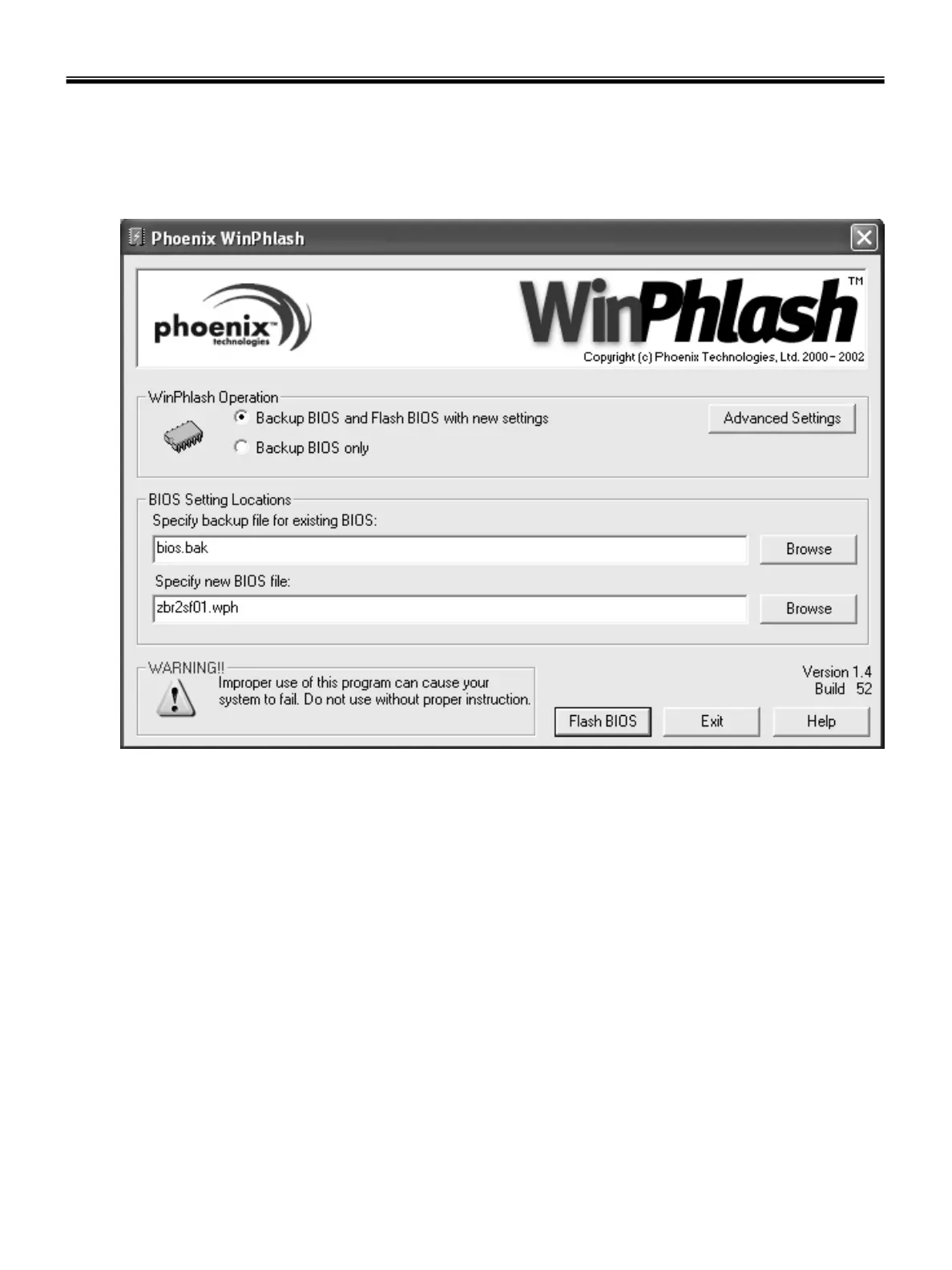
How to update flash ROM in Windows
1. Quit all running programs.
2. Start WINPHLASH.EXE.
3. Select the procedure you want :
a. Backup BIOS and Flash BIOS with new settings
b. Backup BIOS Only
4. Specify the locations for backup and new BIOS files in BIOS Setting Locations.
a. Enter the name of the backup file for existing BIOS or click Browse to locate the file.
b. Enter the name of the new BIOS file or click Browse to locate the file.
5. Click Advanced Settings button to access the advanced settings
6. Click Flash BIOS button to start flash BIOS.
7. Wait for the operation to complete. WinPhlash may take one or two minutes to complete flash BIOS
operation.



 To Next Page