29
Ch4. Symptom-to-part index
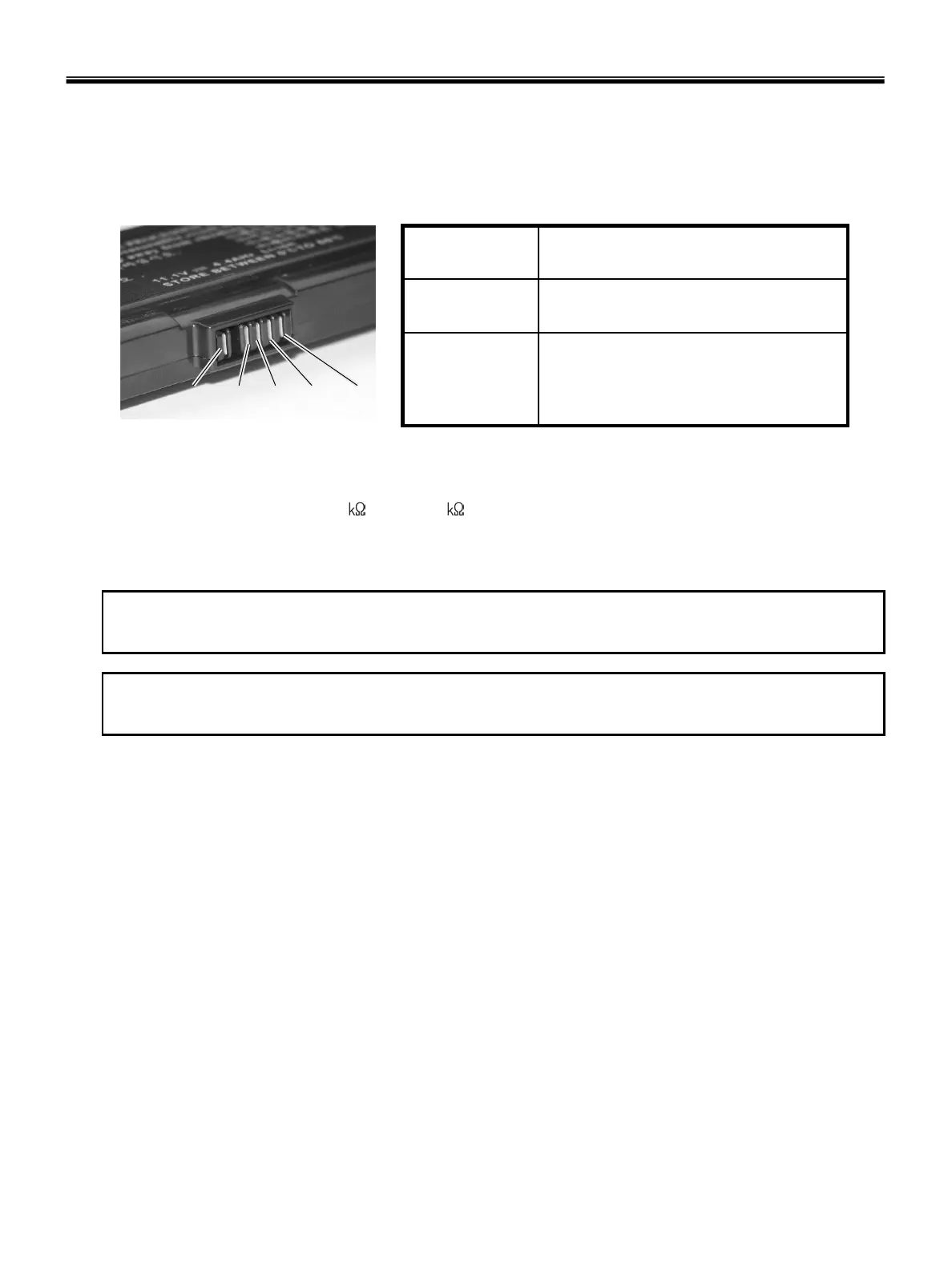
· To check the battery pack, do the following :
1. Power off the computer.
2. Remove the battery pack and measure the voltage between battery terminals 1(-) and 5(+).
See the following figure :
5(+)
4 3 2 1(-)
+0V ~ +12.6V
(6 cell)
5
Ground(-)1
Voltage (V dc)Terminal
3. If the voltage is still less than +11.1 V DC after recharging, replace the battery.
4. If the voltage is more than +11.1 V DC, measure the resistance between battery terminals 1 and 2.
The resistance must be 2 to 4 (typically 3 ).
5. If the resistance is not correct, replace the battery pack. If the resistance is correct, replace the system
board.
Note
Charging will take at least 3 hours.
Note
Battery is an expendable supplier, so its capacity and used time can be reduced by using the computer.



 To Next Page