41
Camera
From the Home screen, tap Apps
> Apps tab > Camera
and slide
down.
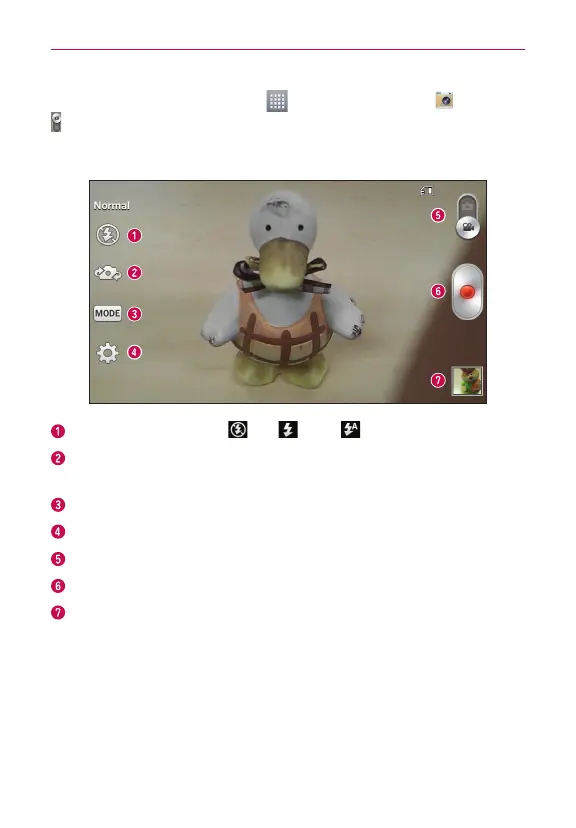
Getting to know the viewfinder
Flash – Choose from Off , On , Auto .
Swap camera – Switch between the rear–facing camera lens and the
frontfacing camera lens.
Recording mode – Choose from Normal or Live effect.
Settings – Tap this icon to open the settings menu.
Mode switch – Touch and slide up this icon to switch to camera mode.
Record – Tap to start recording a video.
Gallery – Tap to view the last video you recorded. This enables you to
access your Gallery and view your saved videos while in video mode.
TIP!
When recording a video, place two fingers on the screen and pinch to use the Zoom
function.


 To Next Page
 Loading...