Getting Started 7
Getting Started
1
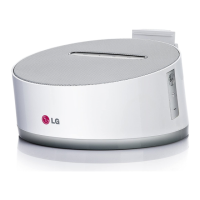
Front Panel
a
iPhone/iPod Dock (Lightning Connector)
b
Support for iPhone/iPod
c
Indicator
Displays each of functions.
d
Speaker
e
1/
F (Power/Function)
- Power on : Press
1/
F to turn the unit on
when the power is turned o.
- Power o : Press and hold
1/
F for about 3
seconds to turn the unit o
- Selects the function and input source when
the power is turned on.
+/- (Volume)
Adjusts volume of speaker.
ND1530-BS_ADEULLK_ENG.indd 7 2013-07-01 5:02:15



 To Next Page
 Loading...