Getting Started8
Getting Started
1
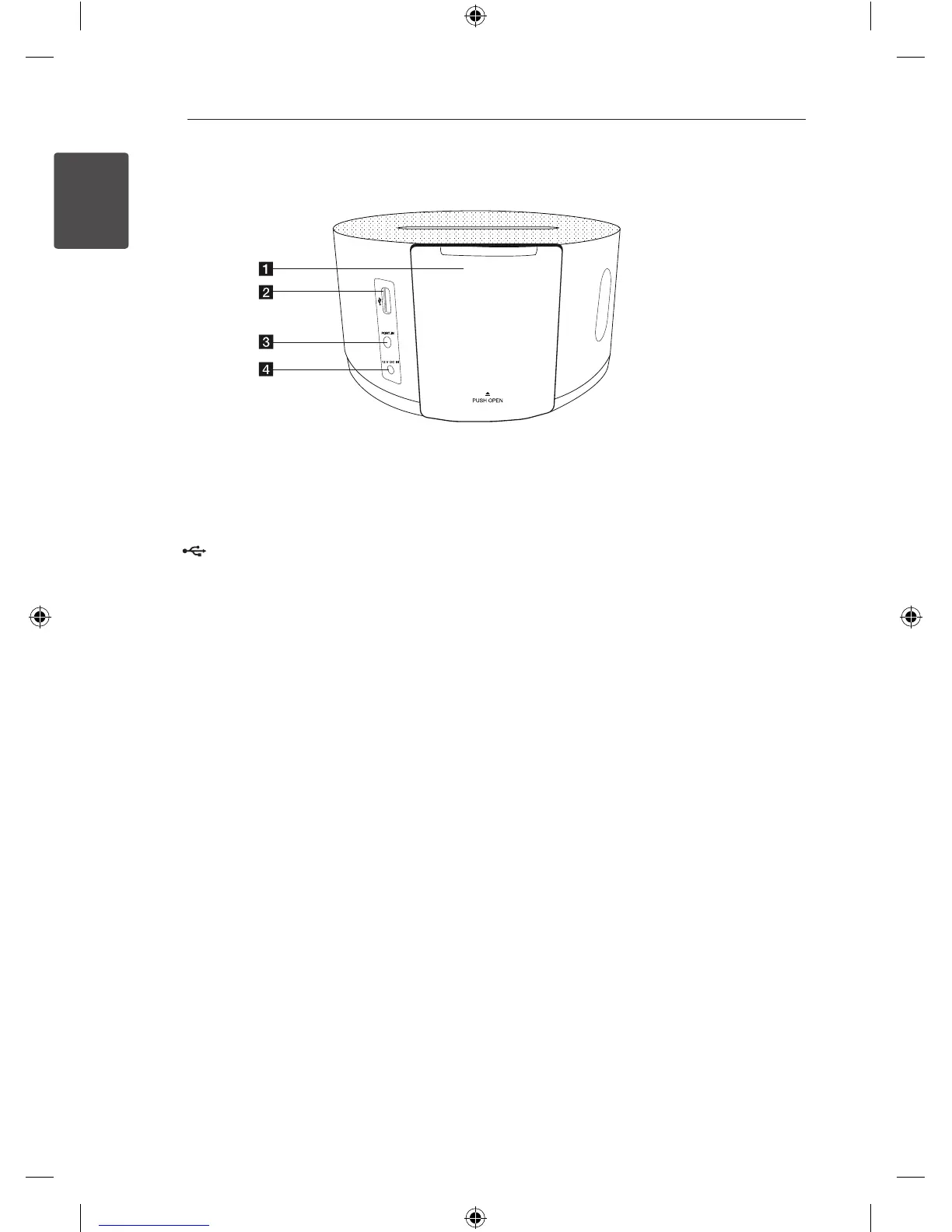
Rear Panel
a
DOCK
Press the PUSH OPEN button appears iPod
DOCK.
b
(USB)
Plays the audio les using your USB cable for
iPhone/iPod
c
PORT.IN
Listens to music from your portable device.
d
12 V DC IN (AC adapter input)
Connects the supplied AC adapter.
ND1530-BS_ADEULLK_ENG.indd 8 2013-07-01 5:02:16



 To Next Page
 Loading...