,
Note
Precautions in using the touch buttons
y
Use the touch buttons with clean and dry
hands. - In a humid environment, wipe out
any moisture on the touch buttons before
using.
y
Do not press the touch buttons hard to
make it work. - If you apply too much
strength, it can damage the sensor of the
touch buttons.
y
Touch the button that you want to work in
order to operate the function correctly.
y
Be careful not to have any conductive
material such as metallic object on the
touch buttons. It can cause malfunctions.
>
Caution
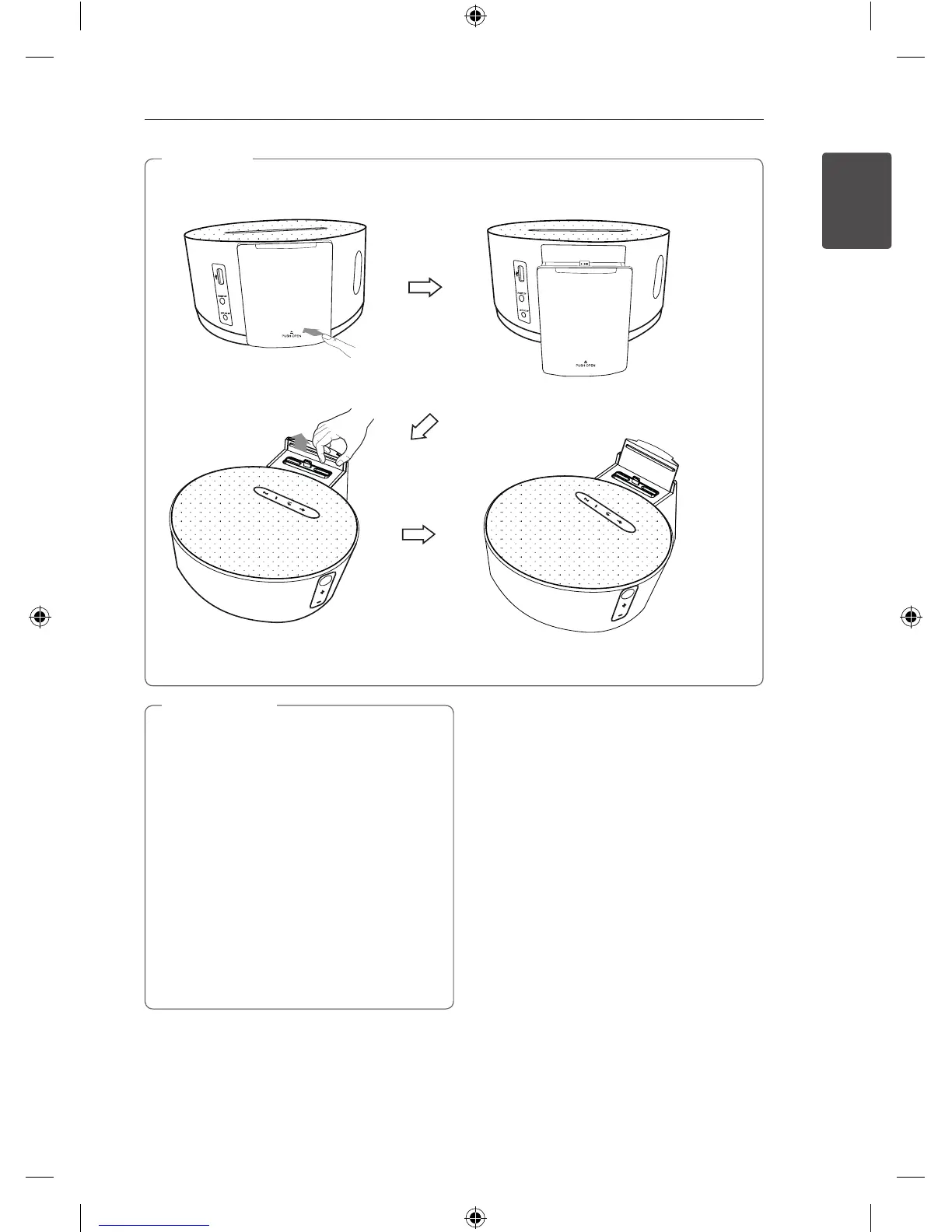
Notice: To open or close
docking tray, please push
center of “B PUSH OPEN”.
ND1530-BS_ADEULLK_ENG.indd 9 2013-07-01 5:02:16



 To Next Page
 Loading...