6
Securing TV to the Wall
(Wall mount included model only)
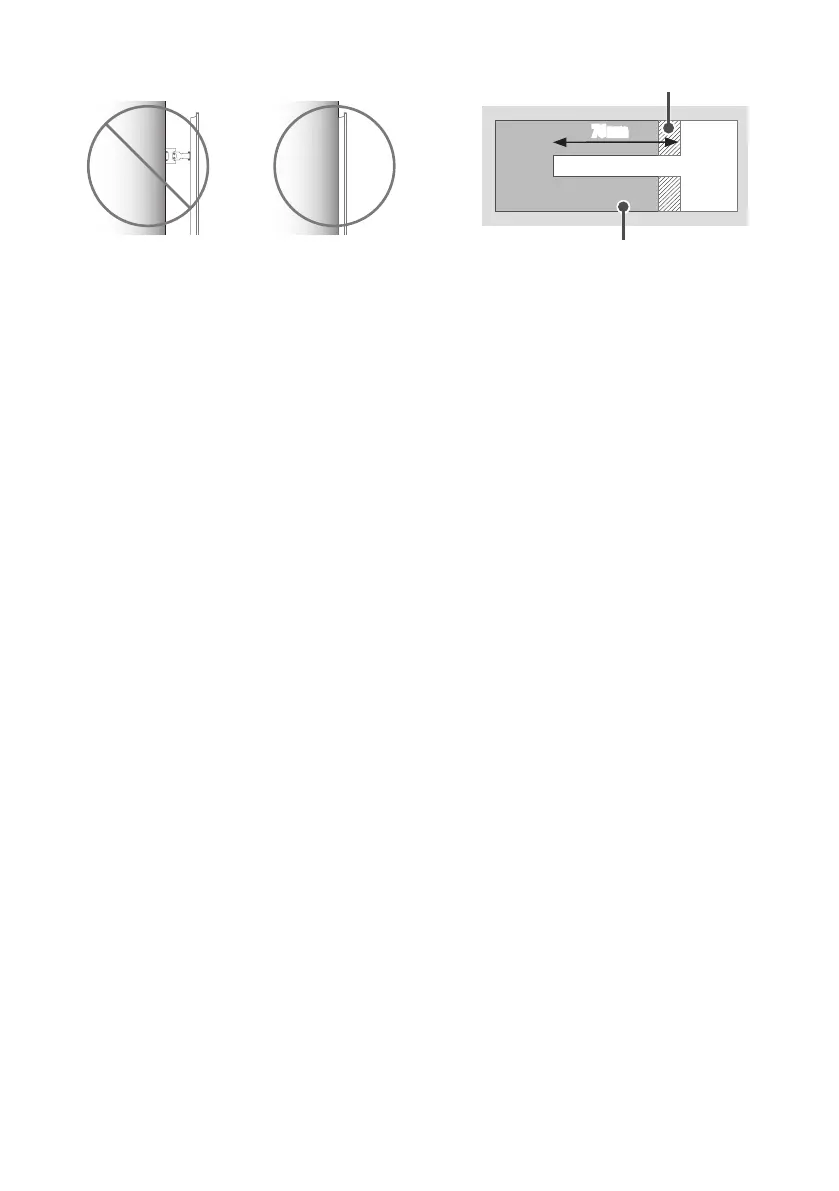
• Please use the TV close to the wall after installation.
How to fix anchors and screws
(Wall mount included model only)
Please make sure that:
• Should use the enclosed anchors and screws on crack-free concrete walls.
• The wall mount should be attached to a stud.This usually will not be a
problem, but depending on individual circumstances, there may be cases
when the ability to mount into a studis not possible. In this case, there
are a variety of drywall anchors, such as toggle bolts, which may provide
a solution.If using drywall anchors, please be sure the anchors and the
wall have the ability to support the weight of your TV. Please note that
the supplied anchors may not be the correct ones for your individual
situation, so you should check with a local professional.
• Other unspecified walls must be capable of supporting pullout loads of
over 70kgf (686N) and shear loads of over 100kgf (980N) per fastener.
• Use an Ø8mm drill bit for concrete and a hammer (impact) drill or Ø
4mm drill bit for wood stud to drill holes.
For installation on wood stud
Drywall
Wood stud
76mm
Use the Ø4mm drill bit for wood to drill holes with the depth of 76mm.
(Clean the drilled hole.)
Without using the wall mounting anchor, fasten the wall mounting screw
directly to the wood stud.


 To Next Page