9-1
9-2
9-3
OLED77G6 Re-assembly Guide
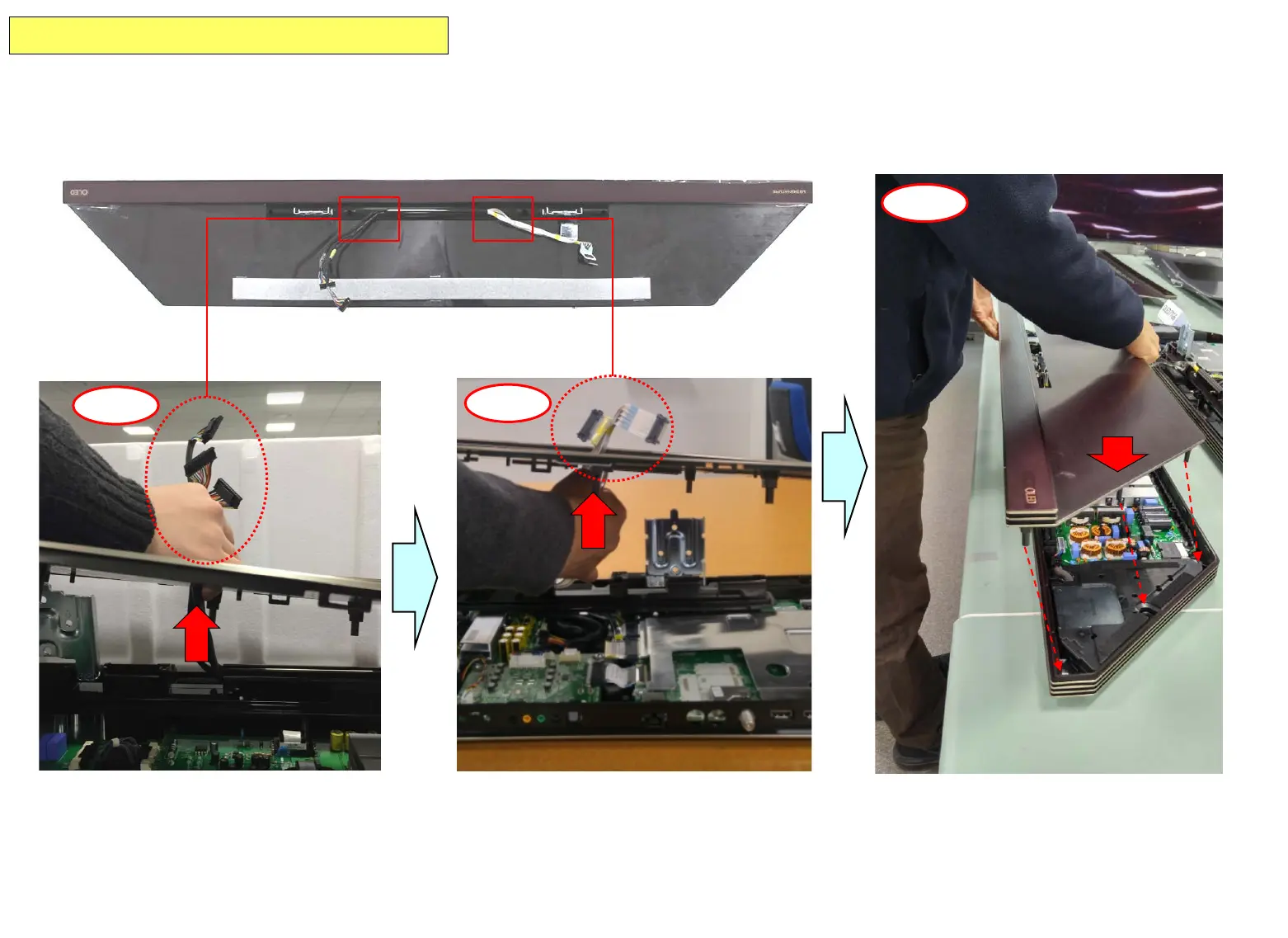
(9-1) Take out the power Cable 3EA from Bottom Box to upside passing the hole.
(9-2) Take out the VX1 Cable 2EA from Bottom Box to upside passing the hole.
(9-3) Arrange and assemble the [Cover Ass’y, AV Box] to Bottom Box.
Copyright © 2016 LG Electronics Inc. All rights reserved.
Only for training and service purposes


 To Next Page