21
ENGLISH
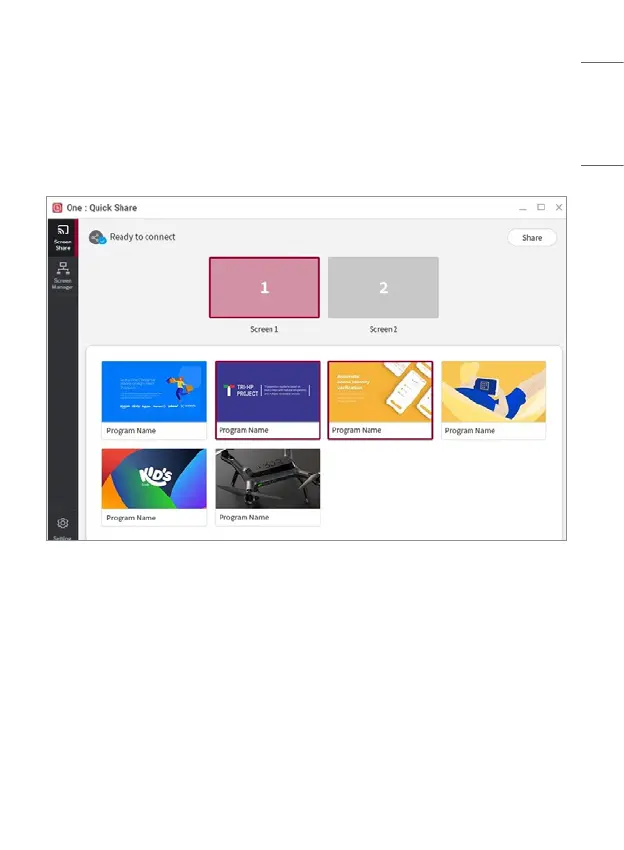
PC App Screen Share Menu
• Icons and texts in the screen share menu indicate the current connection and
operation status.
• Press the [Share] button on the top right to share or stop sharing the PC
screen on the LG Signage screen.
• In the upper pane of the menu, you can select the screen on the PC to which
the Dongle is connected.
• In the lower pane of the menu, other programs currently running are shown,
and you can select the desired program for which to share the screen.
• If you are screen sharing for a program and click the [Share] button for the
selected program, the program will be automatically switched to full screen
mode and the screen will be shared on the LG Signage screen.
• When screen sharing for a program, the LG Signage screen may not show
anything, depending on the type of the program.


 To Next Page