7
The Basics
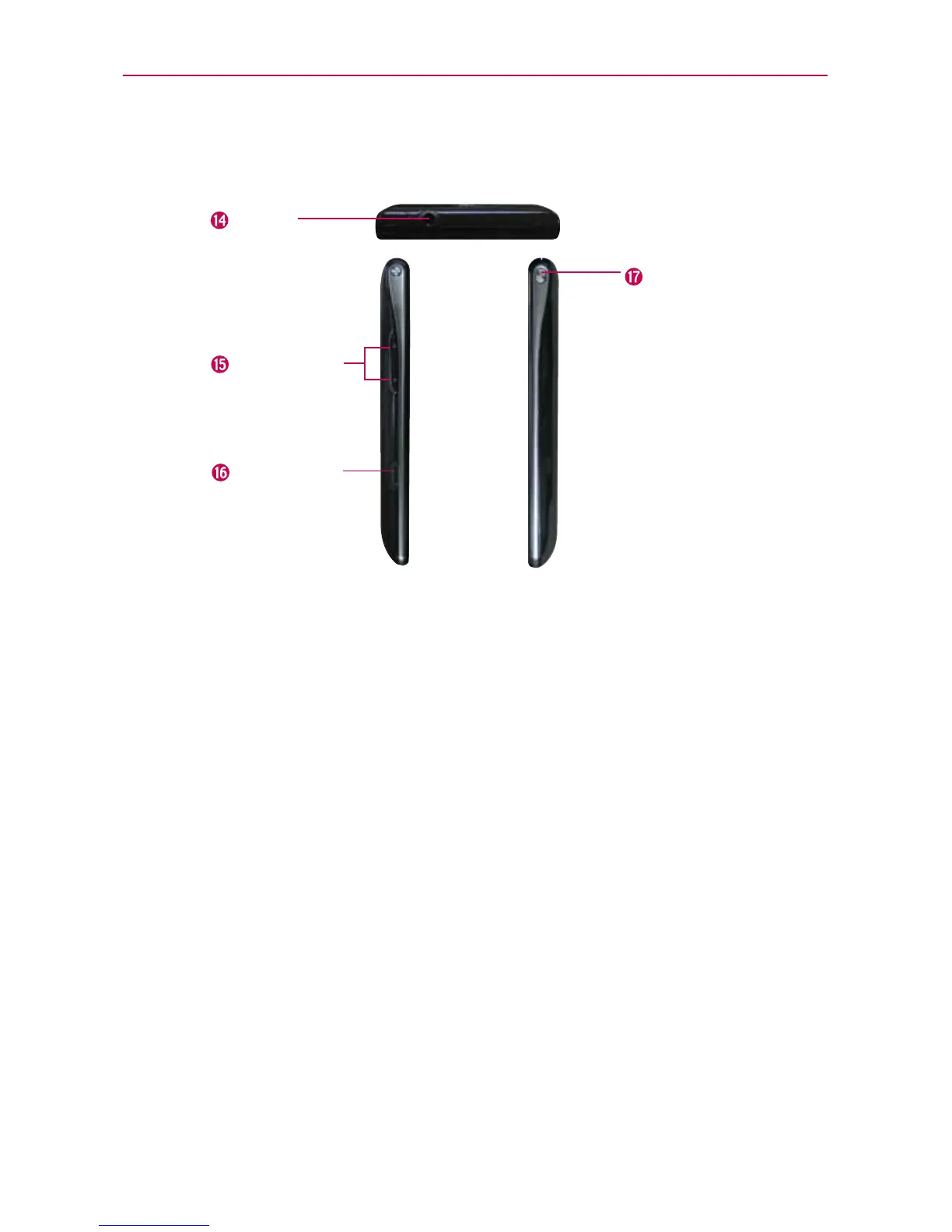
Top View and Side Views
USB/Charger
Port
Volume Keys
3.5mm
Headset Jack
Power/
Lock Key
14. 3.5mm Headset Jack Allows you to plug in an optional headset for
convenient, hands-free conversations. You can also plug in headphones
to listen to music.
15. Volume Keys Allow you to adjust the ringer, media volumes, or the in-
call volume during a call.
16. USB/Charger Port Allows you to connect the phone charger, USB
Cable, or other compatible accessories.
17. Power/Lock Key Press to lock/unlock the screen. Press and hold to
turn the phone on/off, restart it, activate/deactivate airplane mode, and
change the sound settings.



 To Next Page