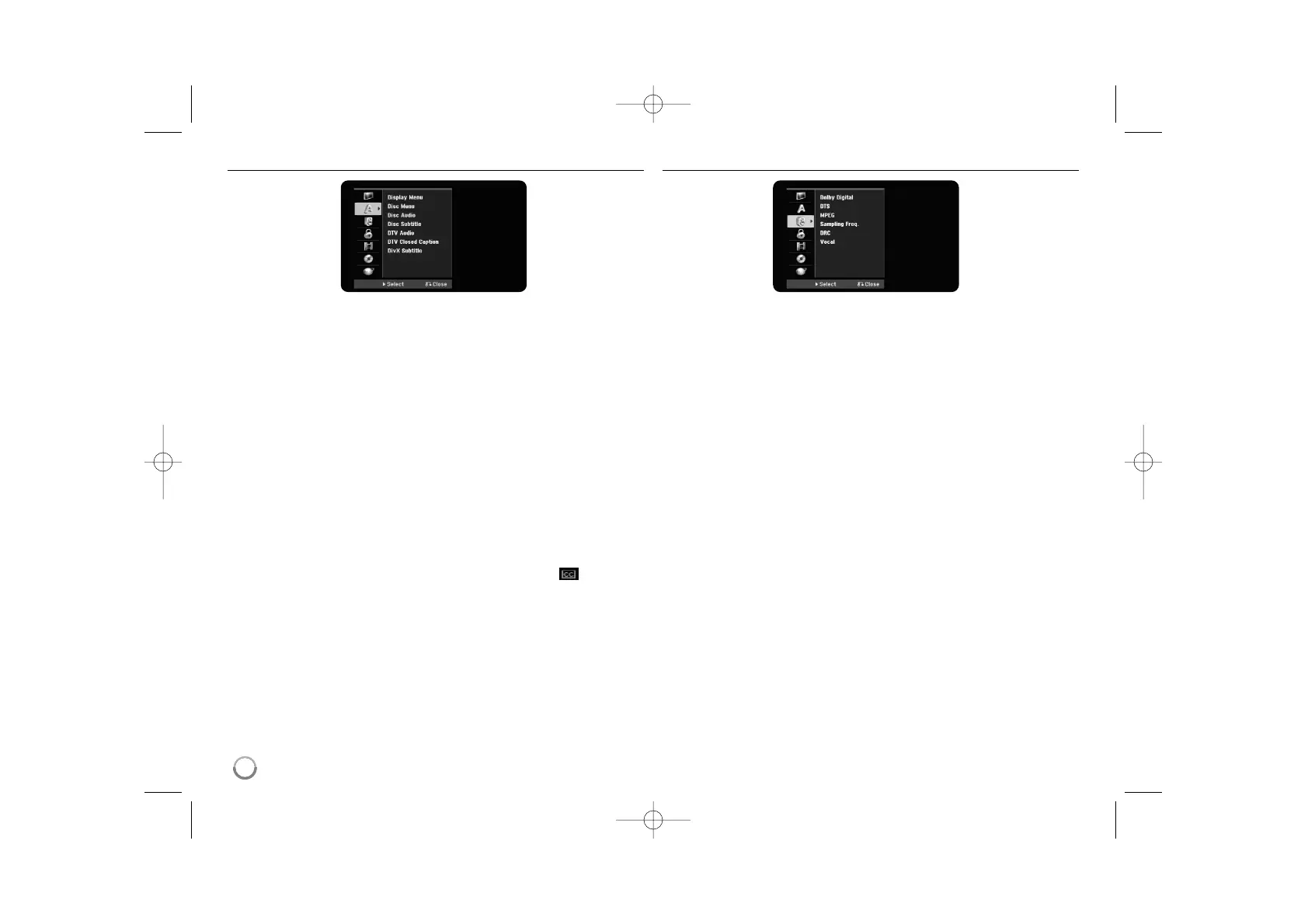
Adjust the language settings
Display Menu – Select a language for the Setup menu and on-screen display.
Disc Menu/Audio/Subtitle – Select a language for the Menu/Audio/Subtitle.
[Original]: Refers to the original language in which the disc was recorded.
[Others]: To select another language, press number buttons then ENTER to
enter the corresponding 4-digit number according to the language code list
on page 38. If you make a mistake while entering number, press CLEAR to
delete numbers.
[OFF] (for Disc Subtitle): Turn off Subtitle.
DTV Audio –
Digital channels sometimes provide multiple audio tracks, often in a
different language. You can set a default audio language with this setting.
If provided by the broadcaster, you can also select a different audio language
while viewing TV by pressing AUDIO repeatedly.
DTV Closed Caption –
Digital channels sometimes provide Closed Caption,
often in a different language. You can set a default Closed Caption language with
this setting,
if DTV Closed Caption is provided by the broadcaster.
Press SUBTITLE repeatedly to select a Closed Caption language while viewing
digital TV viewing.
If Closed Captions are available, the DTV Closed Caption icon ( ) appears
on the program information display to indicate that you can select one of those
Closed Caption options with the SUBTITLE button.
DivX Subtitle – Select a language code for the DivX
®
subtitle.
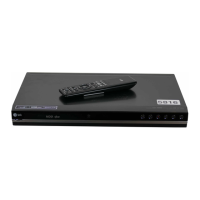
Adjust the audio settings
Dolby Digital / DTS / MPEG – Selects the type of digital audio signal when
using the DIGITAL AUDIO OUTPUT jack.
[Bitstream] – Select this when you connect this unit’s DIGITAL AUDIO
OUTPUT jack to an audio component with a built-in Dolby Digital, DTS or
MPEG decoder.
[PCM] (for Dolby Digital / MPEG) – Select this when you connect this unit’s
DIGITAL AUDIO OUTPUT jack to an audio component without a built-in
Dolby Digital or MPEG decoder.
[Off] (for DTS) – Select this when you connect this unit’s DIGITAL AUDIO
OUTPUT jack to an audio component without a built-in DTS decoder.
Sample Freq. (Frequency) – Selects the sampling frequency of the audio
signal.
[48 kHz]: In case of DVD with 96KHz sampling, the output is converted to
48KHz. If your receiver or amplifier is NOT capable of handling 96KHz signal,
select [48KHz].
[96 kHz]: The audio signals are output in their original format.
DRC (Dynamic Range Control) – Make the sound clear when the volume is
turned down (Dolby Digital only). Set to [On] for this effect.
Vocal – Select [On] to mix karaoke channels into normal stereo. This function is
effective for multi-channel karaoke DVDs only.
18


 To Next Page