3-11
Copyright © 2020 LG Electronics Inc. All rights reserved.
Only for training and service purposes.
ONE POINT REPAIR GUIDE
NO SOUND
There is no sound output in the USB Function, repair the set according to the following guide.
5-2. USB FUNCTION
5-2-1. Solution
Replace MAIN board.
5-2-2. How to troubleshoot (Countermeasure)
1) Check +5V_USB to USB board.
If the Character ‘USB 1’ or ‘USB 2’ is turned on VFD, the voltage is okay, if so not, check USB_5V to
pin4, 5 of CN502.
2) Check USB D1± or USB D2± from MAIN board to TOP board.
a. Check 2.0_D1±signals(pin U7, U8 ) or 1.1_D1± signals(pin A7, A8 ) to IC501.
b. Check USB± signals to CN502(pin1, 2, 7, 8).
If there is any trouble, check the power for IC207.
The power is normal but, if the signal waveform to the IC is distorted or no signal,
replace it with a new one.
3) Check if “Digital audio AMP block” on item 6-1 is normal.
5-2-3. Service hint (Any picture/ Remark)
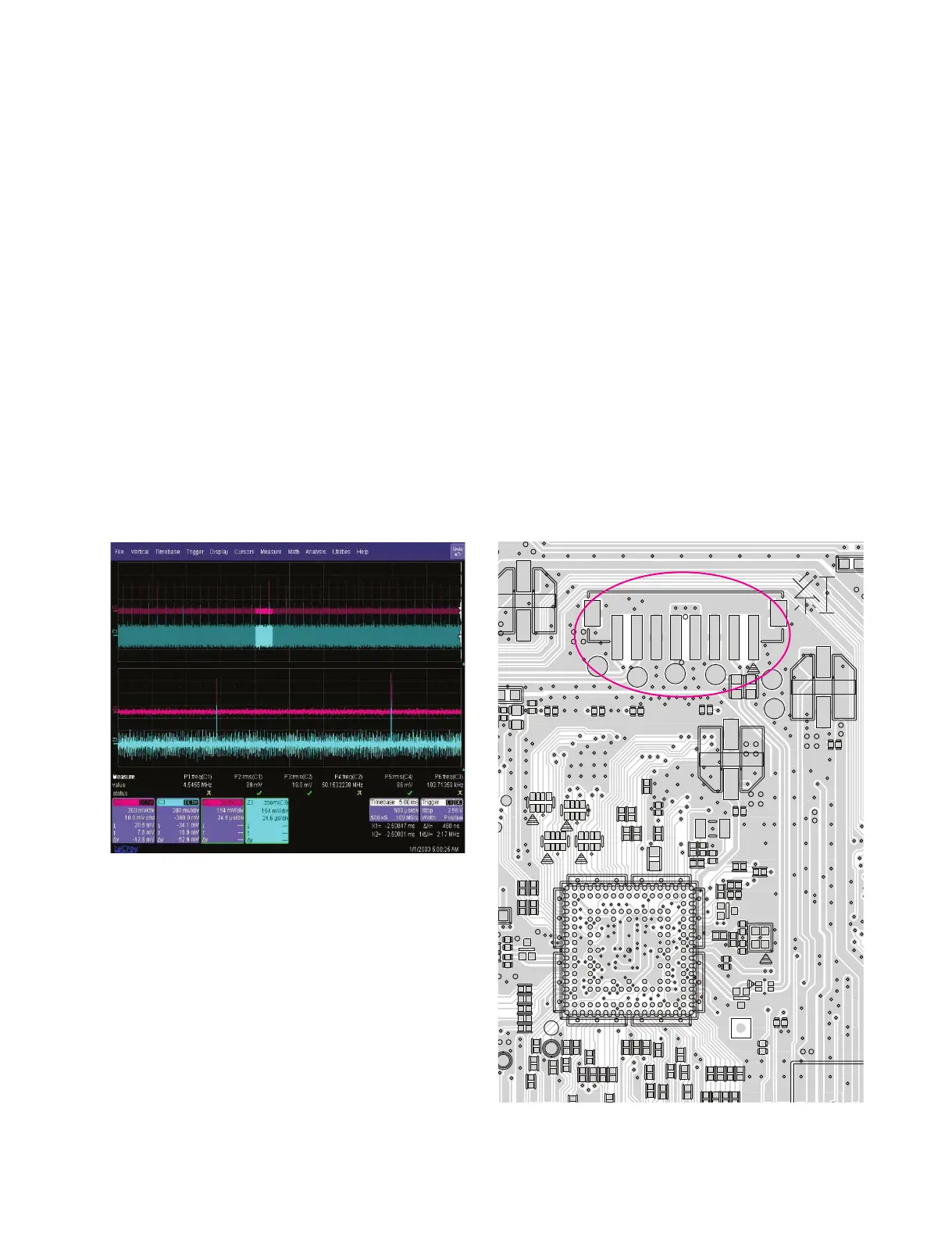
USB D-/D+ (CN502 pin1, 2 & pin7, 8)
< Waveform of USB D± signal >
D
35791
2468
11 13 17
10 12 14 16
15
A
B
C
D
E
F
G
H
J
K
L
M
N
P
R
T
U
X
R5B4
R5B5
R5B6
RA501
A1
RA502
RA503
RA504
C5B2
C5B4
C5B5
TP518
TP519
TP520
TP521
TP522
TP523
ZD501
C5E2
C5E3
ZD505
ZD506
C5E7
SF_CS
L312
FL500
C5B18
C5B21
C5B23
C5B24
C5B26
R501
C5B30
R504
C5B33
R508
C5B34
C5B39
C5B41
C5B43
C5B44
R5D10
CN502
SF_MISO
C5B60
X500
X501
R5B51
53
R5B100
56
R5B102
C2B3
R5B104
R5B106
R5B107
B60
B61
B64
B65
R5B115
R5B94
RX
R5B95
R5B98
R5B99
R596
IC501
L5B9
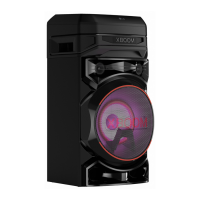
< MAIN board top view >
CN502
IC501



 To Next Page