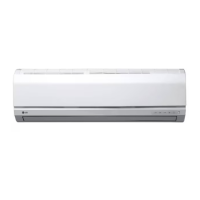
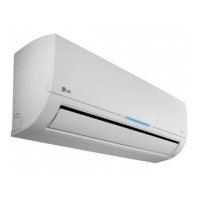
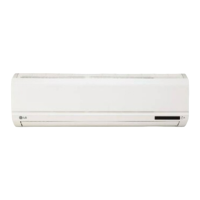
This document is an owner's manual for LG wall-mounted air conditioners, covering various models including SJ121CD, SJ121HZ, SJ122CD, SJ122HD, SJ182CD, and SJ182HD with different voltage and regional specifications (NY0, US0, NL0, NTO, UYO, N51, US1, N50).
Function Description
The LG air conditioner is designed to provide cooling, heating (for heat pump models), and healthy dehumidification for indoor spaces. It features a wireless remote controller for convenient operation and various modes to optimize comfort and energy efficiency.
Important Technical Specifications
The manual includes a SPEC SHEET with detailed electrical specifications for each model:
Cooling:
- SJ121CD NY0/US0 (115 V~): Input 1230 W, Current 11.0 A
- SJ121HZ NL0/US0 (115 V~): Input 1230 W, Current 11.0 A
- SJ122CD NTO/US0 (220 V~): Input 1192 W, Current 5.2 A
- SJ122CD NY0/UYO (220 V~): Input 1200 W, Current 5.4 A
- SJ122HD NY0/US0 (220 V~): Input 1125 W, Current 5.4 A
- SJ182CD N51/US1 (220 V~): Input 1845 W, Current 8.4 A
- SJ182HD N50/US0 (220 V~): Input 1740 W, Current 8.6 A
Heating (for Heat Pump Models):
- SJ121HZ NL0/US0 (115 V~): Input 1220 W, Current 11.0 A
- SJ122HD NY0/US0 (220 V~): Input 1200 W, Current 5.5 A
- SJ182HD N50/US0 (220 V~): Input 1950 W, Current 9.0 A
The unit incorporates a self-diagnosis function where the LED blinks to indicate thermistor failures (indoor room temperature thermistor open/short or indoor pipe temperature thermistor open/short).
Usage Features
Operating Modes:
- Cooling Operation: Standard cooling function.
- Heating Operation: Available for heat pump models.
- Healthy Dehumidification Operation: Automatically sets room temperature and airflow volume for optimal dehumidification based on sensed room temperature. The setting temperature is not displayed on the remote controller in this mode.
- Jet Cool Operation: Provides rapid cooling by running in cooling mode with super high fan speed and 18°C setting temperature for 30 minutes. For Inverter, Art Cool, and Art Cool Wide (non-Deluxe) models, a "jet heat" function is also available.
- Energy-Saving Cooling Mode: Optimizes energy consumption by adjusting temperature and fan speed based on body-adaptation time.
- Sleep Mode Auto Operation: Sets a timer for the unit to stop automatically (1 to 7 hours). In cooling/healthy dehumidification modes, the setting temperature rises automatically by 1°C over 30 minutes, then another 1°C over the next 30 minutes for comfortable sleep.
- Forced Operation: A test operation mode where the unit runs in cooling mode at high fan speed for 18 minutes, regardless of room temperature. It can be activated by pressing and holding the ON/OFF button for 3-5 seconds.
Remote Controller Features:
- START/STOP BUTTON: Turns the unit on/off.
- OPERATION MODE SELECTION BUTTON: Selects cooling, heating, or healthy dehumidification.
- ROOM TEMPERATURE SETTING BUTTONS: Adjusts the desired room temperature (18°C-30°C for cooling, 16°C-30°C for heating).
- INDOOR FAN SPEED SELECTOR BUTTON: Selects fan speed (low, medium, high, CHAOS). CHAOS mode simulates natural breeze by automatically changing fan speed.
- JET COOL BUTTON: Activates/deactivates jet cool (or jet heat for some models).
- CHAOS SWING BUTTON: Controls louver movement for up/down airflow direction.
- SLEEP MODE AUTO BUTTON: Activates sleep mode.
- ENERGY-SAVING COOLING MODE BUTTON: Activates energy-saving cooling mode.
Airflow Direction Control (Optional):
- Vertical airflow can be adjusted using the CHAOS SWING BUTTON on the remote controller.
Maintenance Features
General Maintenance:
- Clean the indoor unit with a soft, dry cloth. Avoid bleach or abrasives.
- Regularly check and clean the heat exchanger coils and panel vents of the outdoor unit. If clogged, professional steam cleaning may be required.
Air Filters:
- Frequency: Check and clean every 2 weeks or more often if necessary.
- Cleaning: Use a vacuum cleaner or warm soapy water. For stubborn dirt, use a detergent solution in lukewarm water. Dry well in shade before reinstalling.
- Removal (Art Cool Type): Pull down the grille bottom, lift the filter tab, and slowly remove the filter.
- Removal (Deluxe Type 1): Open the upside of the panel, lift it up to release hooks, then remove air filters.
- Removal (Deluxe Type 2): Open the front panel, pull the filter tab slightly forward to remove the air filter.
- Removal (Standard Split Type): Open the front panel, then pull the filter tab slightly forward to remove the air filter.
Plasma Filters:
- Frequency: Check and clean every 3 months or more often if necessary.
- Cleaning: Use a vacuum cleaner. If dirty, wash with water and dry well in shade.
- Caution: Do not touch the plasma filter within 10 seconds after opening the inlet grille to avoid electric shock.
Deodorizer Filters:
- Remove the deodorizer filters from behind the air filter and expose them to direct sunlight for 2 hours, then reinsert.
Remote Controller Maintenance:
- Batteries: Use/replace both batteries of the same type. Remove batteries if the system is not used for a long time. Replace batteries if the display screen fades.
- Placement: Choose a safe and easily accessible location for the holder.
- Cleaning: Keep the signal transmitter and receiver clean with a soft cloth for proper communication.
Troubleshooting Tips:
The manual provides a troubleshooting guide for common issues like the air conditioner not starting (unplugged, blown fuse, power failure, high voltage) or not cooling effectively (restricted airflow, dirty air filter, hot room, cold air escaping, incorrect temperature settings, heating sources in the room). It advises users to call for service immediately if abnormal smells, loud noises, main power cord issues, error codes, water leaks, or switch failures occur. Routine check-ups and cleaning are recommended for optimal performance.

 Need help?
 General

 To Next Page