38
PROGRAMMING MODE
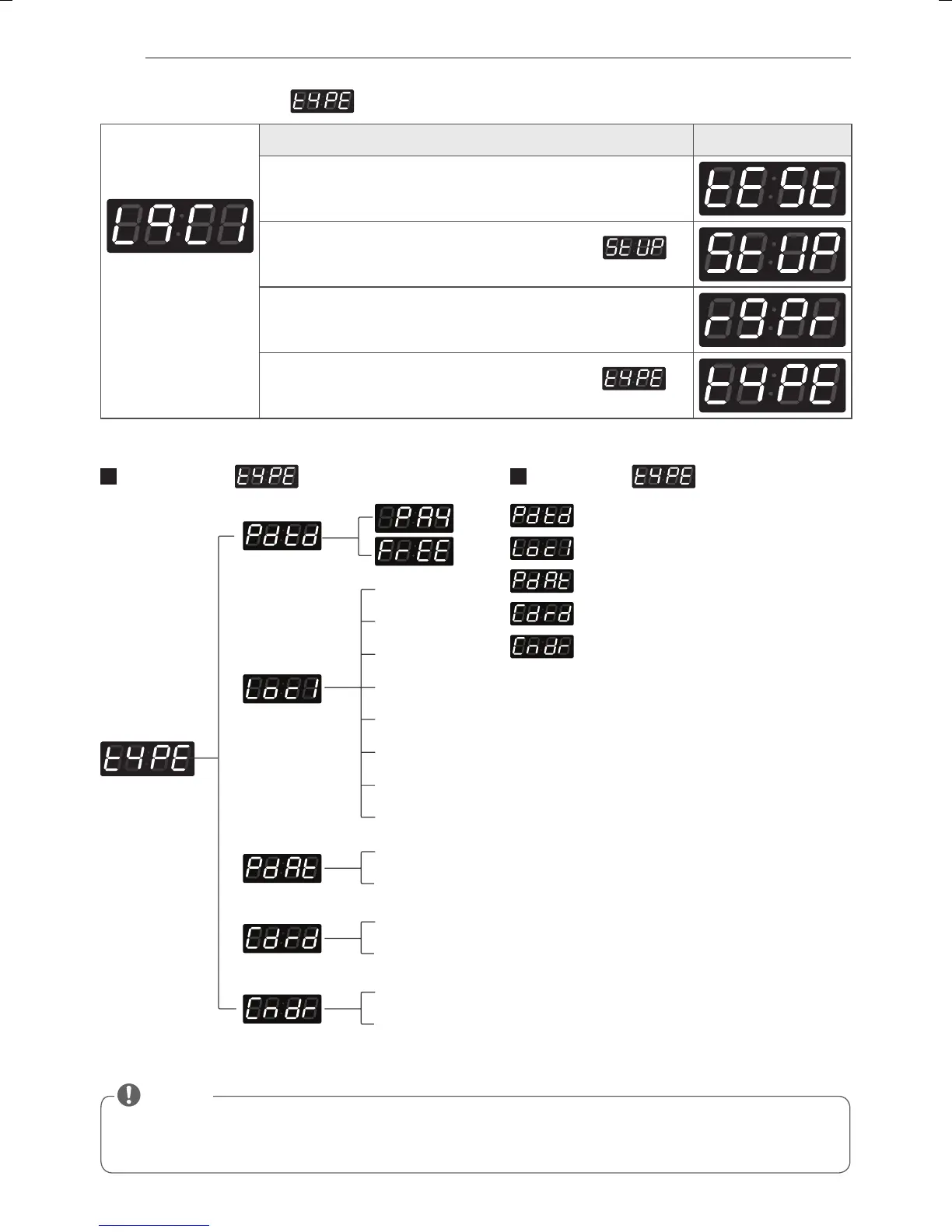
• Pay means card or coin type.
•
Default type is coin type. If you want to change coin type, you need to setup vend type in fea1. (refer to FEA1 function)
• Free means OPL type.
NOTE
15. How to enter the
Entering set up
mode.
You will see LqC1
Button Display
Press the High Temp. button.
Press the Med Temp. or the Low Temp. button until
appears in the display.
Press the Start button.
Press the Med Temp. or the Low Temp. button until
appears in the display.
Structure of Content of
• Product type
• Currency choice
• PDA type
• Card reader type
• Coin drop type
0 EUK (England)
1 EAP (Australia)
2 ELC (USA)
3 EPN (China)
4 KOR (Korea)
5 EJP (Japan)
6 ECI (Canada)
7 GSC (Philippines)
0 (Pharos)
1 (HP)
0 (Greenwald)
1 (ESD)
0 (ESD, Greenwald, Munzprufer)
1 (Korea)
MFL67863709_en_170328.indd 38 2017-03-28 �� 9:54:34



 To Next Page
 Loading...