Need help?
Do you have a question about the LG UBK90 and is the answer not in the manual?
Guide on connecting the player to a TV using an HDMI cable.
Instructions for connecting the player to a TV and amplifier via HDMI.
Provides technical specifications like dimensions, power, and bus supply.
Illustrates the procedure for replacing the battery in the remote control.
Information on obtaining open source software licenses and source code.
Guidance on updating player software and contacting customer support.
Statements regarding wireless function compliance with Canadian regulations.
Information on IC radiation exposure limits for the equipment.
Warnings related to the use of the 5 GHz frequency band and potential interference.
This document serves as a simple manual for an Ultra HD Blu-ray Disc™ Player, model UBK90, manufactured by LG. It provides essential information for setting up and operating the device, with a focus on ease of use and basic connectivity. The manual is designed to guide users through the initial setup process, including connecting the player to a television and accessing the main menu. For more advanced features and detailed instructions, users are directed to download the full Owner's Manual from the LG website.
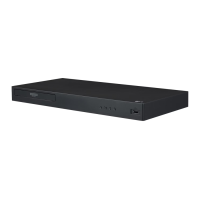
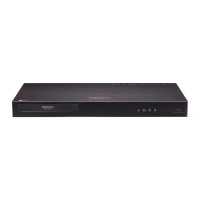
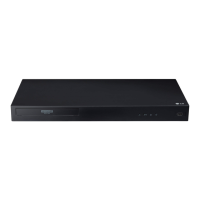
The LG UBK90 is an Ultra HD Blu-ray Disc™ Player, primarily designed for playing Ultra HD Blu-ray discs, standard Blu-ray discs, and DVDs, offering high-definition video and audio playback. As a Blu-ray player, its core function is to read optical discs and output their content to a connected display device, typically a television, with superior resolution and sound quality compared to traditional DVD players. The "Ultra HD" designation indicates its capability to play content in 4K resolution, providing a significantly sharper and more detailed picture when paired with a compatible 4K television. The device also supports various audio formats, ensuring an immersive auditory experience. Beyond disc playback, the UBK90 offers smart features, allowing it to connect to the internet for accessing online services, which expands its utility beyond just playing physical media. This internet connectivity enables features such as firmware updates, access to streaming applications, and potentially other online content, transforming the player into a versatile home entertainment hub. The inclusion of a USB port further enhances its functionality, allowing users to play media files directly from USB storage devices, such as external hard drives or flash drives. This means the player can handle a variety of digital media formats, including photos, music, and videos, stored on external devices, making it a central component for consuming diverse digital content. The player is designed to be user-friendly, with a straightforward interface for disc playback and navigation through its main menu.
The UBK90 Blu-ray player is designed for intuitive use, starting with its physical controls and connectivity options. The front panel features essential controls for basic operation: a disc tray open/close button, play/pause, stop, and power on/off. These tactile buttons provide immediate control over disc playback and the player's power state. An LED indicator is also present, signaling the power status of the device. A USB port on the front panel allows for convenient connection of USB storage devices, enabling playback of various media files without needing to access the rear connections.
The rear panel houses the primary connectivity ports. The LAN port is crucial for connecting the player to the internet, either for accessing online streaming services or for downloading firmware updates. The HDMI1 OUT TO TV port is the primary video and audio output, designed to connect directly to a television. This connection is fundamental for displaying the player's output on a screen. Additionally, the HDMI2 AUDIO ONLY port is provided for dedicated audio output, allowing users to connect the player to an audio receiver or amplifier for a higher-quality audio experience, separate from the video signal sent to the TV. An OPTICAL AUDIO OUT port offers another option for digital audio output, providing flexibility for connecting to various audio systems that may not have HDMI inputs.
Initial setup involves connecting the player to a television using an HDMI cable. The manual emphasizes connecting the HDMI1 OUT TO TV port on the player to an HDMI input on the TV. Once connected, users need to select the corresponding HDMI input on their television using the TV's remote control to view the player's output. After the initial setup, the player's Home menu appears on the TV screen, providing access to various functions. This menu typically includes options for playing movies, viewing photos, listening to music, and accessing settings.
For advanced audio setups, the manual describes connecting the HDMI2 AUDIO ONLY port to an amplifier. This allows the audio signal to be processed by a dedicated sound system, enhancing the overall sound quality. Alternatively, the optical audio output can be used for similar purposes.
The player's internet connectivity is a key usage feature. To enjoy online services, the player needs to be connected to the internet, either through a wired LAN connection or wirelessly. This enables access to streaming applications and other online content, significantly expanding the player's entertainment capabilities beyond physical discs. The manual directs users to the LG website for advanced features and the full Owner's Manual, indicating that the player has a range of functionalities that go beyond basic disc playback, such as detailed network settings, advanced audio/video configurations, and potentially smart home integration features.
While the provided simple manual does not delve into extensive maintenance procedures, it implicitly highlights several aspects that contribute to the player's longevity and optimal performance. The emphasis on internet connectivity for advanced features and firmware updates is a crucial maintenance aspect. Regular firmware updates, which can be downloaded via the internet connection (wired or wireless), are essential for maintaining the player's performance, ensuring compatibility with new disc formats or online services, and addressing any software bugs or security vulnerabilities. This proactive approach to software maintenance helps keep the device up-to-date and functioning smoothly.
The manual's instruction to "Please read this manual carefully before operating your set and retain it for future reference" suggests that proper initial setup and understanding of the device's functions are fundamental to its long-term maintenance. Incorrect connections or improper handling can lead to operational issues or damage.
The design of the player, with its physical controls and clear port labeling, also contributes to ease of maintenance by making it straightforward for users to connect and operate the device correctly, minimizing the risk of user error. The provision of a USB port for media playback also implies that the player is designed to handle various digital media, and keeping the firmware updated ensures compatibility with evolving media formats.
The general advice for electronic devices, which applies here, would include keeping the player in a well-ventilated area to prevent overheating, keeping it free from dust and moisture, and using a soft, dry cloth for cleaning the exterior. While not explicitly stated in this simple manual, these practices are standard for maintaining electronic equipment. The absence of complex user-serviceable parts suggests that any significant internal issues would require professional service, aligning with the typical maintenance model for consumer electronics. The focus on software updates and correct usage, as guided by the manual, forms the primary user-level maintenance strategy for the UBK90 Blu-ray player.
 General
| Depth | 205 mm |
|---|---|
| Width | 430 mm |
| Height | 45.5 mm |
| Weight | 1920 g |
| Display | LED |
| Full HD | No |
| Device type | Blu-Ray player |
| Gross weight | 1917 g |
| Package depth | 277 mm |
| Package width | 471 mm |
| Product color | Black |
| Audio decoders | DTS, DTS-HD, Dolby Atmos, Dolby Digital Plus, Dolby TrueHD |
| Package height | 83 mm |
| Package weight | 2510 g |
| Playback modes | Fast forward, Fast reverse, Pause, Repeat, Slow backward, Slow forward |
| Number of discs | 1 discs |
| Video upscaling | Yes |
| Country of origin | China |
| Disc loading type | Tray |
| Dolby technologies | DTS, DTS-HD, Dolby Atmos, Dolby Digital, Dolby Digital Plus, Dolby TrueHD |
| Disc types supported | BD-R, BD-RE, BD-ROM, CD, CD-R, CD-RW, DVD+R, DVD+RW, DVD-R, DVD-ROM, DVD-RW |
| Playback disc formats | Blu-Ray audio, Blu-Ray video, CD audio, CD video, DVD-Audio, DVD-Video |
| Card reader integrated | - |
| USB 2.0 ports quantity | 1 |
| Audio formats supported | AAC, FLAC, MP3, WMA |
| Connectivity technology | Wired & Wireless |
| Image formats supported | GIF, JPEG, MPO, PNG |
| Video formats supported | 3GP, AVC, AVCHD, DAT, FLV, H.264, H.265, M4V, MKV, MOV, MPEG1, MPEG2-PS, MPEG2-TS, MPEG4, TS, VOB, WMV, XVID |
| Power consumption (typical) | 17 W |
| Consumer Electronics Control (CEC) | SimpLink |
| Audio output channels | - channels |
| Power consumption (standby) | 1.5 W |
| Playback disc types | BD-R, BD-RE, BD-ROM, CD, CD-R, CD-RW, DVD+R, DVD+RW, DVD-R, DVD-RW |


 To Next Page