Custom-designed Features 8
Cine Video
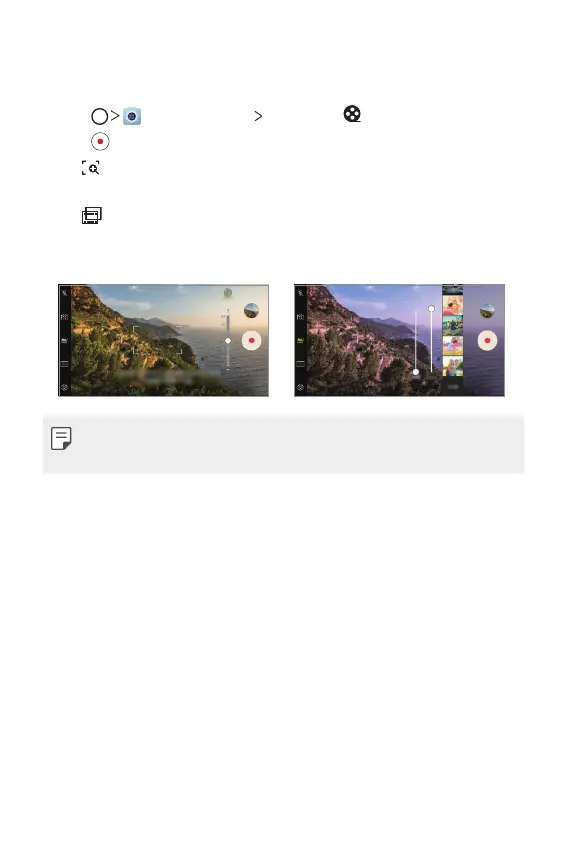
You can record a movie-like video.
1
Tap , then tap MODE Cine Video .
2
Tap to record a video.
•
: Select the point zoom feature to zoom in/out around a specific
area.
•
: Select an effect to apply to the recording. You can also adjust
the vignette and strength for each Cine effect. This feature cannot
be changed after you have started recording.
• The Point zoom feature supports a zoom speed of up to 3x.
• This feature only supports video recordings in standard angle.



 To Next Page