Custom-designed Features 9
Makeup Pro
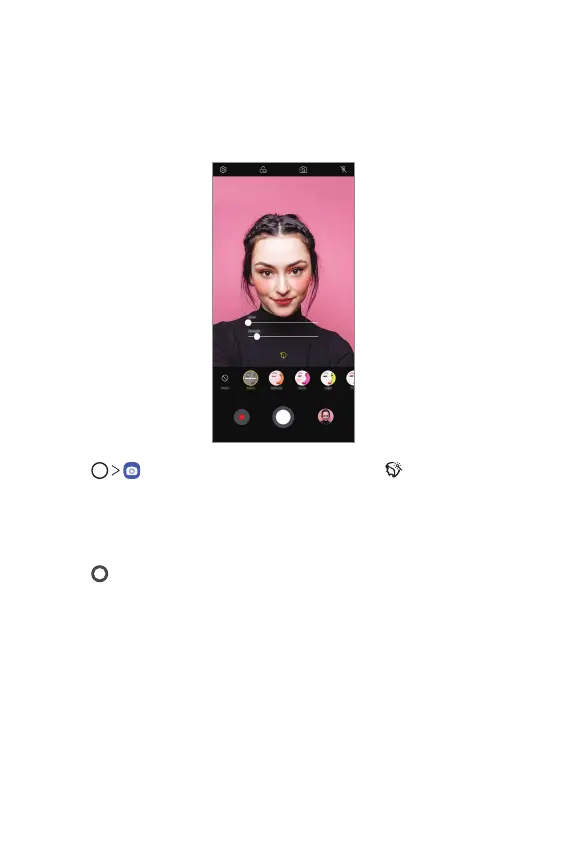
While taking selfies, you can apply various makeup techniques.
When using the front camera, adjust the skin tone and apply eye and lip
makeups.
1
Tap , switch to the front camera, then tap .
2
Select a desired makeup option, then drag the slide bar to the left or
right to adjust the effect.
• When you select None, the slide bar disappears.
3
Tap to take a photo.



 To Next Page