Custom-designed Features 11
Triple Preview
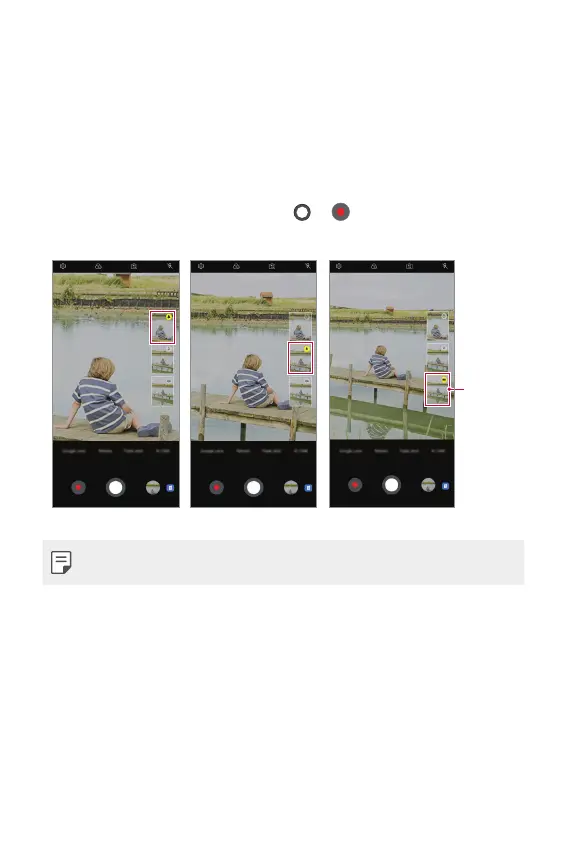
You can preview images of different angles taken by the triple cameras
and select a desired angle to take a photo or record a video.
1
Before taking a photo, touch and hold a camera view icon to display
preview icons of the three angles on the right.
• The screen displays the preview image of the selected angle of view.
2
After selecting a desired angle, tap or to take a photo or record
a video.
Select
preview
icon.
Telephoto view Standard-Angle view Super Wide-Angle view
• This feature is available only in the Auto mode and AI Cam.


 To Next Page