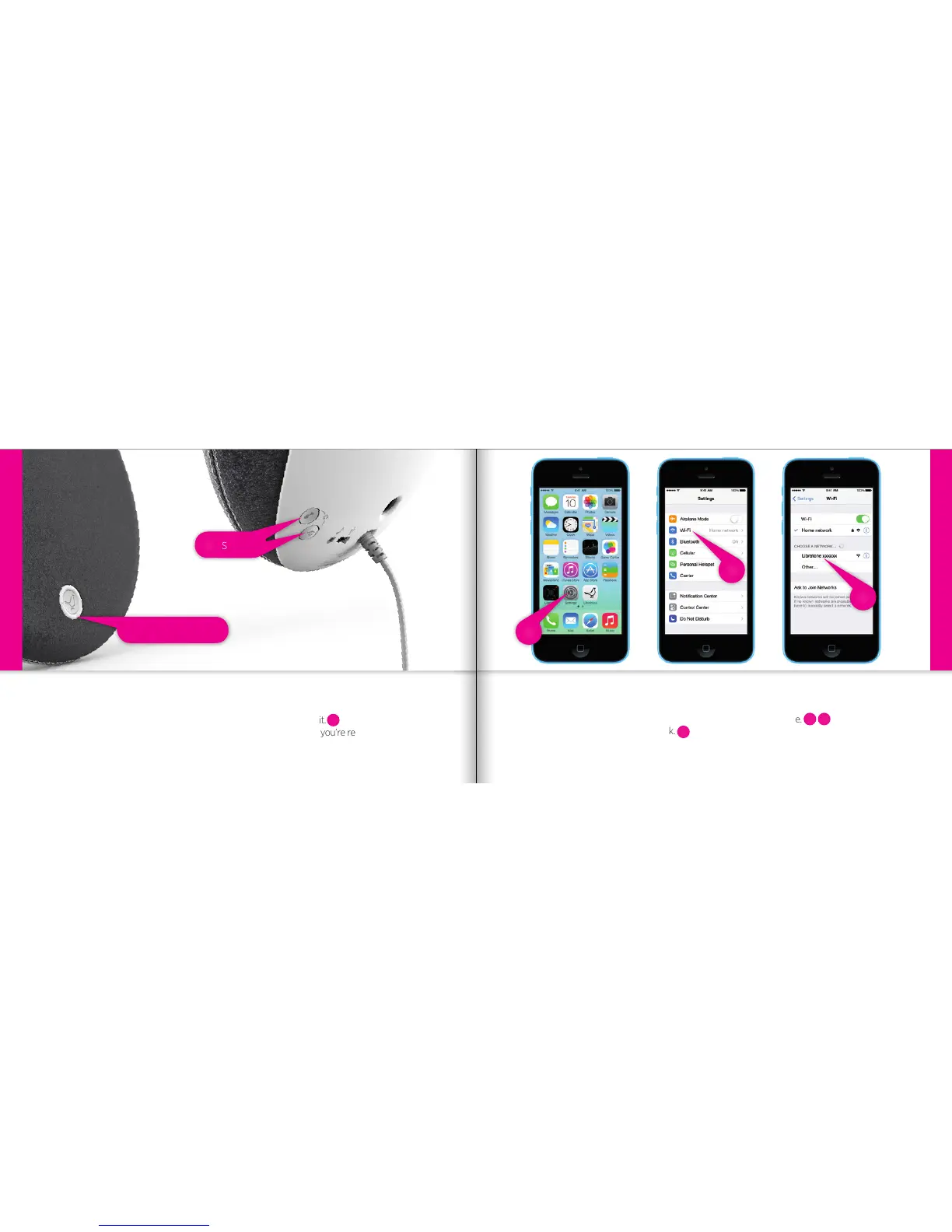
Status Indicator
• Press the “PlayDirect” and “AirPlay” buttons simultaneously and wait.
• When the “Status Indicator” shows the WHITE PlayDirect sequence, you’re ready to proceed.
PUT YOUR SPEAKER IN SETUP MODE
iPhone, iPad or iPod touch - Wi-Fi
FIND YOUR SPEAKER
• Open “Settings” and press “Wi-Fi” connections on your iPhone.
• Choose the “Libratone” network.
4
3
2
iPhone, iPad or iPod touch - Wi-Fi
Setup
1
1
2
4
3
12 13



 To Next Page