CL-2 Service Manual
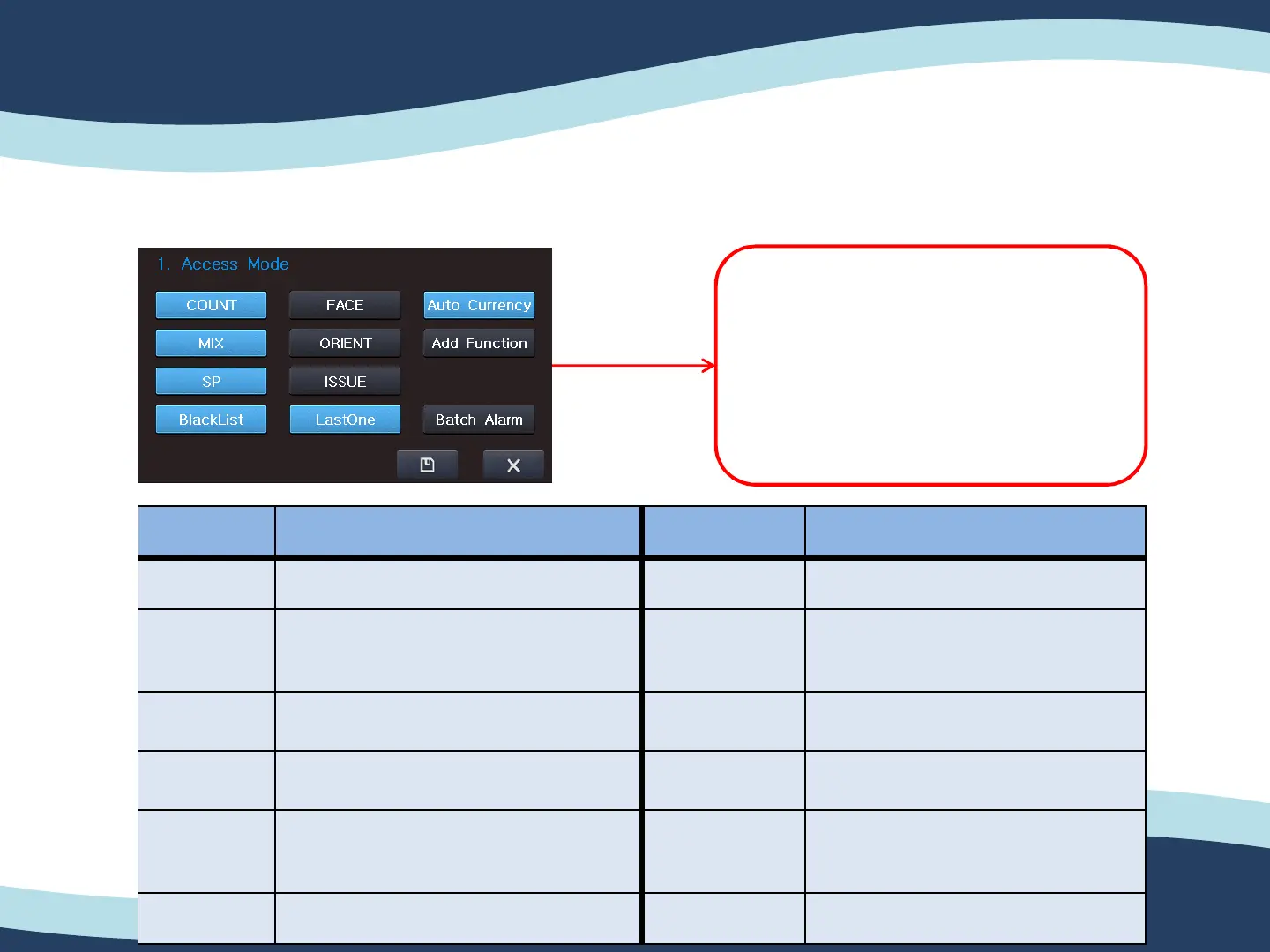
5-3-1. Active Mode.
5. ENG Setting (Engineer setting)
40
You can change the setting of Active
Mode.
You can enable/ disable the function
in your own.
Category Explanation Category Explanation
Count Enable/ Disable Count Mode. Issue Enable/ Disable Issue Mode.
MIX Enable/ Disable Mix Mode. LastOne On : Stop with error note instantly.
Off : Stop with error note + 1 note
instantly.
SP Enable/ Disable SP Mode. Auto currency Recognize currency of First note
and reject other currency’s note.
BlackList Saving CF’s Serial Number to detect
CF notes. (Not Developed)
Add Function Enable/ Disable Auto Mode.
Face Enable/ Disable Face Mode. Batch Alarm Alarm will be occurred when the
transaction is ended with batch is
not full as set.
Orient Enable/ Disable Orient Mode.


 To Next Page