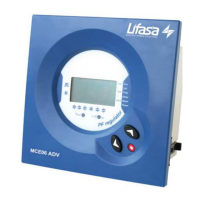
Controllers MCE06ADV – MCE12ADV
- 14 -
5.6 Selection of the number of stages.
To set-up this parameter, use the keys
until the cursor points to the option , then push
This setting allows the selection of the number of stages of the PF compensation equipment. Depending
on the device type, MCE06ADV or MCE12ADV we can select up to 6 or 12 stages. If the number of
stages is less than 6 or 12 respectively in MCE06ADV or MCE12ADV the relay number 6 or 12 is
automatically assigned as alarm relay (see paragraph 3.3)
5.7 V,I phase angle setting.
To set-up this parameter, use the keys until the cursor points to the option , then push
During the set-up of this parameter, the screen shows alternatively one of the options T1 to T6 and the
cosϕ.
This parameter permits the adaptation of the regulator to different options of connection of voltage and
current measurement in the three phase system. The default assumed connection is the one shown in
figs. 4.2 and 4.3, i.e., the current transformer placed in phase L1 and voltage measurement between
phases L2 (terminal C) and L3 (terminal D). Sometimes it’s difficult to guarantee this connection or even
check how it is. To adapt to this unknown situations the MCExxADV devices allow the selection of
different options, T1 to T6, as shown in table 5.3. To select the right option during start up, you should
verify that there is load and that the loads are mainly inductive with a cosϕ between 0,7 y 1. In this
situation try the different options until the cosϕ screen shows a value between 0,7 and 1
Table 5-3.- Phase shift options in MCExxADV
Screen
cosϕ
ϕϕ
ϕ=1
V measured in phases CT placed in phase
T1 30º L3-L2 L3
T2 270º L3-L2 L1
T3 150º L3-L2 L2
T4 210º L3-L2 L3 (P1-P2 or S1-S2 reversed)
T5 90º L3-L2 L1 (P1-P2 or S1-S2 reversed)
T6 330º L3-L2 L2 (P1-P2 or S1-S2 reversed)
5.8 Programming the CT rated current (primary).
The set-up of this parameter can be selected at the bottom of the menu options. Use the keys until
the bottom red LED is flashing and push . The display will show the assumed CT primary
current. Set the value according to the CT used to measure installation current. The adjustment range is
from 0 to 999 and with the x10 option allows a rated primary current up to 9990A. By default the
secondary of CT is assumed to be 5A
6 SET-UP MENU AND PROCEDURE.
6.1 How to access the set-up menu.
To access the set-up menu, press the key for more than 1s (This is designated as long push in table
6.1 , which gives a summary of the set-up procedure). The pointer starts blinking and points to the
parameter to be adjusted. Select the parameter by means of the keys
After the long push and in case that all the capacitor stages are disconnected, the device jumps to the
set-up status. In case that there are some stages connected, keep the key pushed while the regulator
disconnects the connected stages sequentially and respecting the programmed delay time. Once all the
stages have been disconnected the device enters the set-up status and allows the adjustment of the
different parameters. A schematic diagram of the set-up menu showing the different navigation paths is
shown in table 6.1. The meanings of the different adjustable parameters have been explained in
paragraph 5.1.



 To Next Page
 Loading...