Using the home unit
Making an alarm call
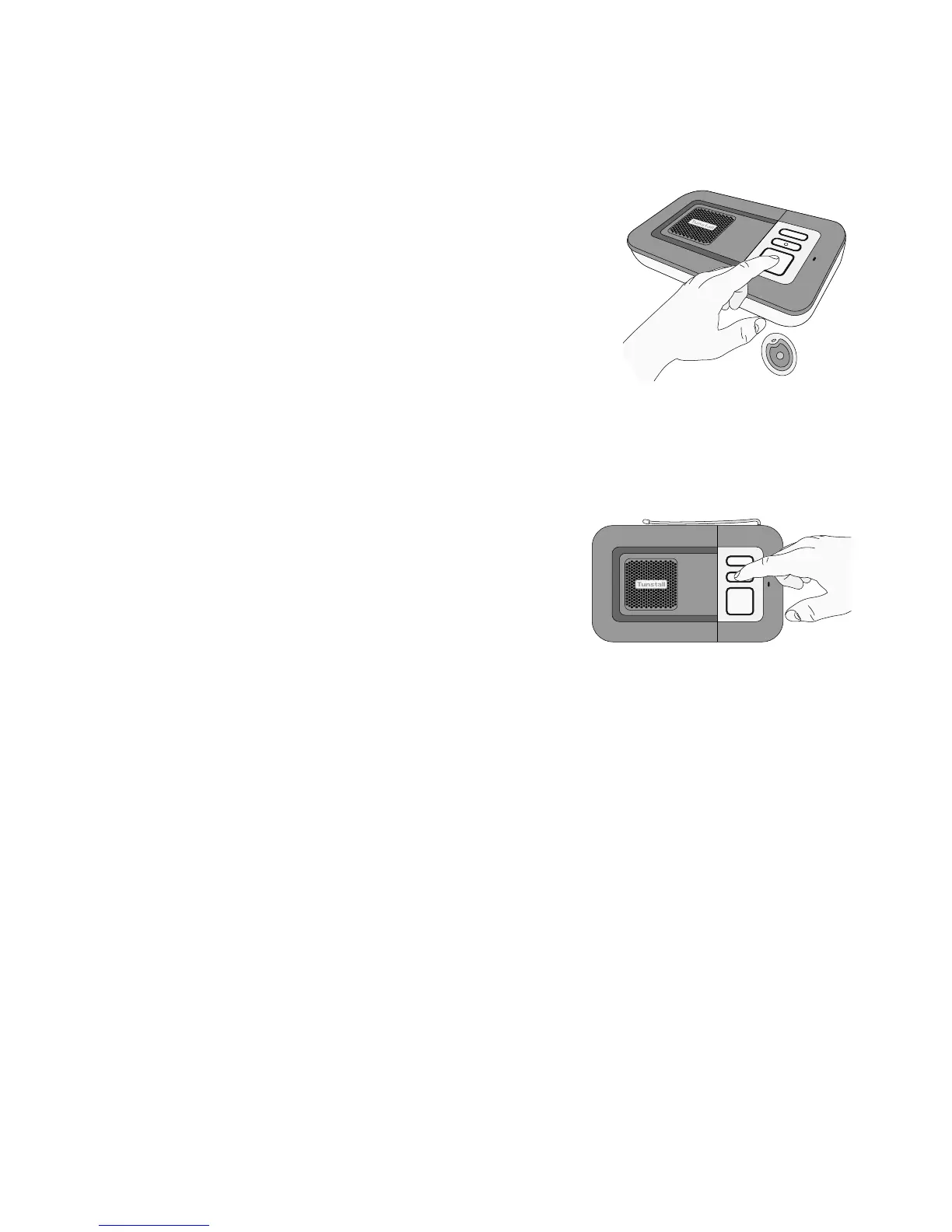
Press the red button on the home unit or the
pendant. The home unit will announce ‘Do not
worry your alarm telephone is dialling for
assistance’ and you will hear several tones as the
unit dials. The call will then be answered by an
operator at the monitoring centre, who will talk
to you to find out how best to help you. The
operator might then contact a family member, keyholder or the
emergency services.
Cancelling an alarm call
If you press the red alarm button by accident
you can press the green cancel button on the
home unit. You may only cancel an alarm
5 seconds after the alarm button has been
pressed to prevent accidental cancellation.
You will know your alarm call has been cancelled when the unit
announces ‘The alarm call has been cancelled’.
Answering telephone calls
You can use the Lifeline at Home system to answer telephone calls, simply
by pressing the button on the pendant when your telephone rings. You can
then talk to the caller via the speaker and microphone on the home unit. If
you want to carry on your conversation using the telephone at any time
simply pick up the telephone handset. You can also answer incoming
phone calls by pressing the green cancel button on the home unit, and end
them by pressing the cancel button again, or by pressing the button on the
pendant.
Accidental alarms
Don’t worry if you accidentally call the monitoring centre at any time.
Our operators are always happy to hear from you – consider it a useful
test of the system!



 To Next Page
 Loading...