1.2 Subsequent management: Enter "*#" to enter the setting page. After verifying the identity of the
administrator, you can set the management user settings and ordinary user settings.
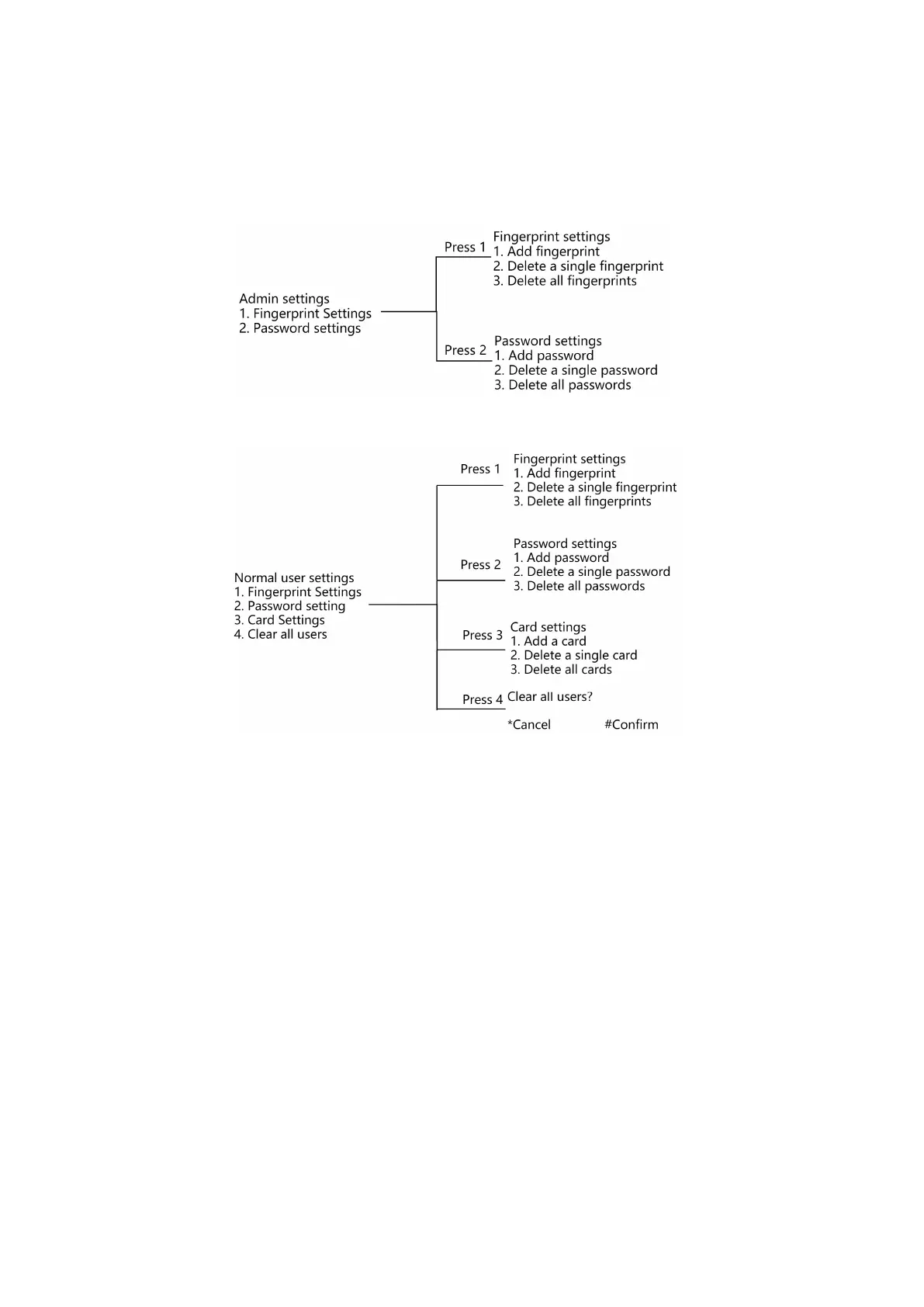
1.3 The operation menu is as follows:
Press 1 to enter admin user settings:
Press 2 to enter Normal user settings:
Press 3 to enter the system settings: if you need device binding operation, press 1 to bind the operation,
after the binding result is returned, the voice prompt "Start binding", and then the APP can perform the
pairing operation; If you need to unbind the device, press 2 to unbind the device.
Press 4 to enter the volume setting: press 1 to set the doorbell volume, and press 2 to set the system volume;
You can set the high, medium and low volume according to actual needs.
Press 5 to enter the language switch: Press 1 to set Chinese and press 2 to set English.
For more operations, please refer to the actual broadcast menu of the door lock.After completing the settings,
please download the APP as soon as possible to use more and more comprehensive functions.
2. Restore factory settings
If you forget the password, you can open the back cover of the inner lock, reset the button by needle poke
for 5 seconds, press the "#" key to confirm according to the voice prompt, and then perform a factory reset.
3. Daily use
3.1 Daily use: directly use one of the set fingerprint, password and card to verify and open the door.
3.2 Temporary password to open the door: enter 9# to start the temporary password service, then enter the
temporary password, press # key to confirm; 9# can be preceded by a password with up to 4 virtual digits.
For example: enter "XXXX9#12345678#" to open the door, where 12345678 is a temporary password string and


 To Next Page
 Loading...