
 Need help?
Do you have a question about the Lifetrons FG-3001 and is the answer not in the manual?
Download the software from the website and extract the files for installation.
Launch the setup program, select the installation language, and proceed.
Click 'Next' and 'Install' to advance through the InstallShield Wizard.
Finish the installation process by clicking 'Finish' after the wizard completes.
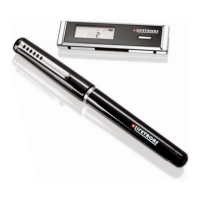
Connect the receiver, clip it to paper, write notes, and press the button to save.
Connect the receiver to PC, upload notes via software, and manage them.
Open the Note Manager software to view uploaded notes on your computer.
Click the '+' icon to enlarge individual notes for better readability.
 General
| Brand | Lifetrons |
|---|---|
| Model | FG-3001 |
| Category | Accessories |
| Language | English |

 To Next Page