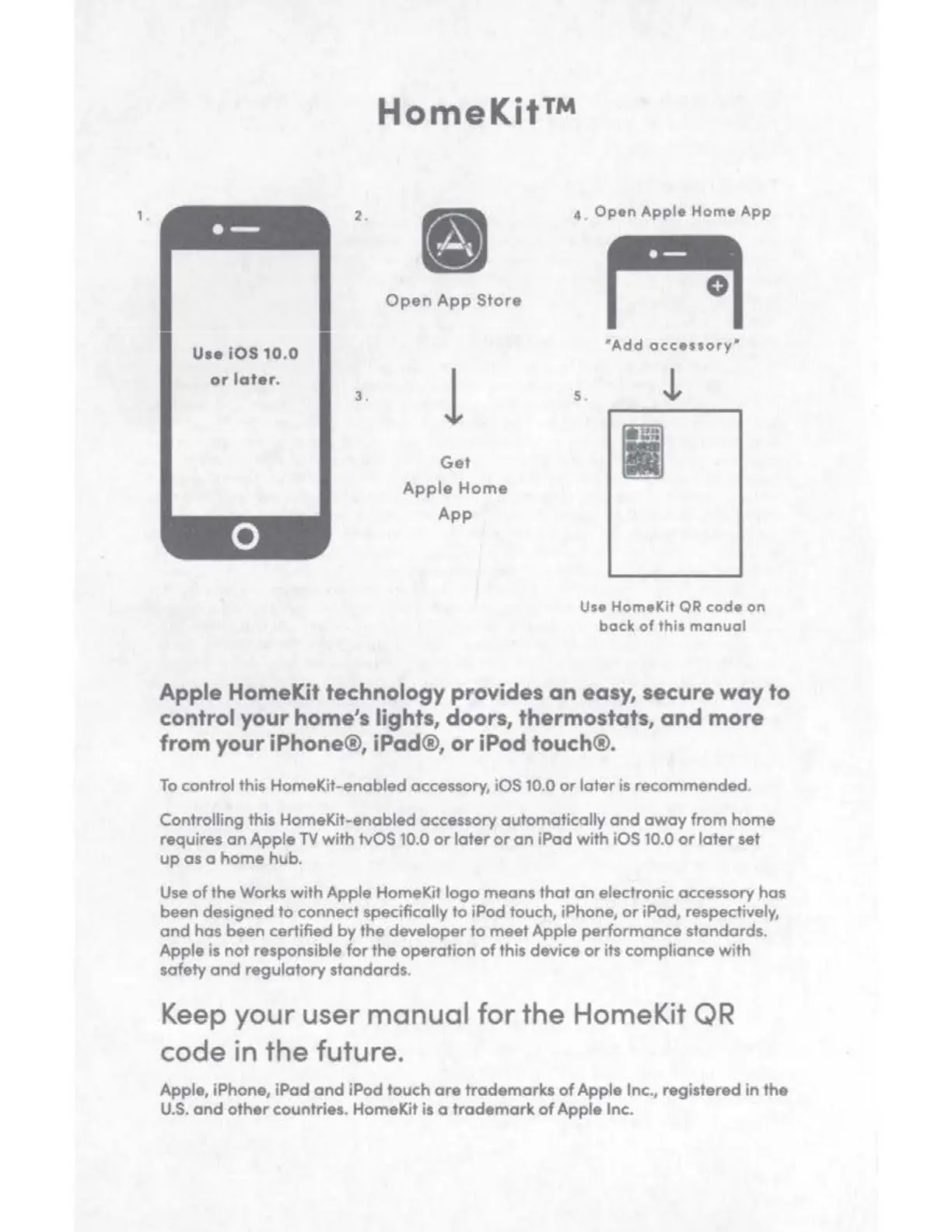
, .
2.
Use i
OS
10
.0
or
l
ater
.
3 .
HomeKit™
•
Open
App
Store
l
Get
Apple
Home
App
4
• Open Apple Home App
0
'Add
accessory·
s.
!
I
Use
HomelCit
QR
code on
back
of
this manual
Apple HomeKit technology provides
an
easy, secure
way
to
control your
home
's lights, doors, thermostats,
and
more
from your iPhone®, iPad®,
or
iPod touch®.
To
control this HomeKit-enobled accessory, iOS 10.0
or
later
is recommended.
Controlling this HomeKit-enabled accessory automatically
and
away
from
home
requires
an
Apple
TV
with
tvOS 10.0
or
later
or
an
iPad with iOS 10.0
or
later
set
up
as a
home
hub.
Use
of
the
Works
with
Apple HomeKit
logo
means
that
an
electronic accessory has
been designed
to
connect specifically
to
iPad touch, iPhane,
or
iPod, respectively,
and
hos been certified
by
the
developer
to
meet
Apple
performance standards.
Apple is
not
responsible
for
the
operation
of
this device
or
its compliance with
safety
and
regulatory standards.
Keep your us
er
manual
for
the
HomeKit QR
co
de
in
the
future.
Apple, iPhone,
iPod
ond
iPod touch
are
trademarks
of
Apple
Inc., registered
in
the
U.S.
and
other
countries. HomeKit is o
trademark
of
Apple Inc.


 To Next Page