EasyManua.ls Logo

Lightning Audio LA-7000 - Page 9

Default Icon
25 pages
Print Icon
To Next Page IconTo Next Page
To Previous Page IconTo Previous Page
Loading...
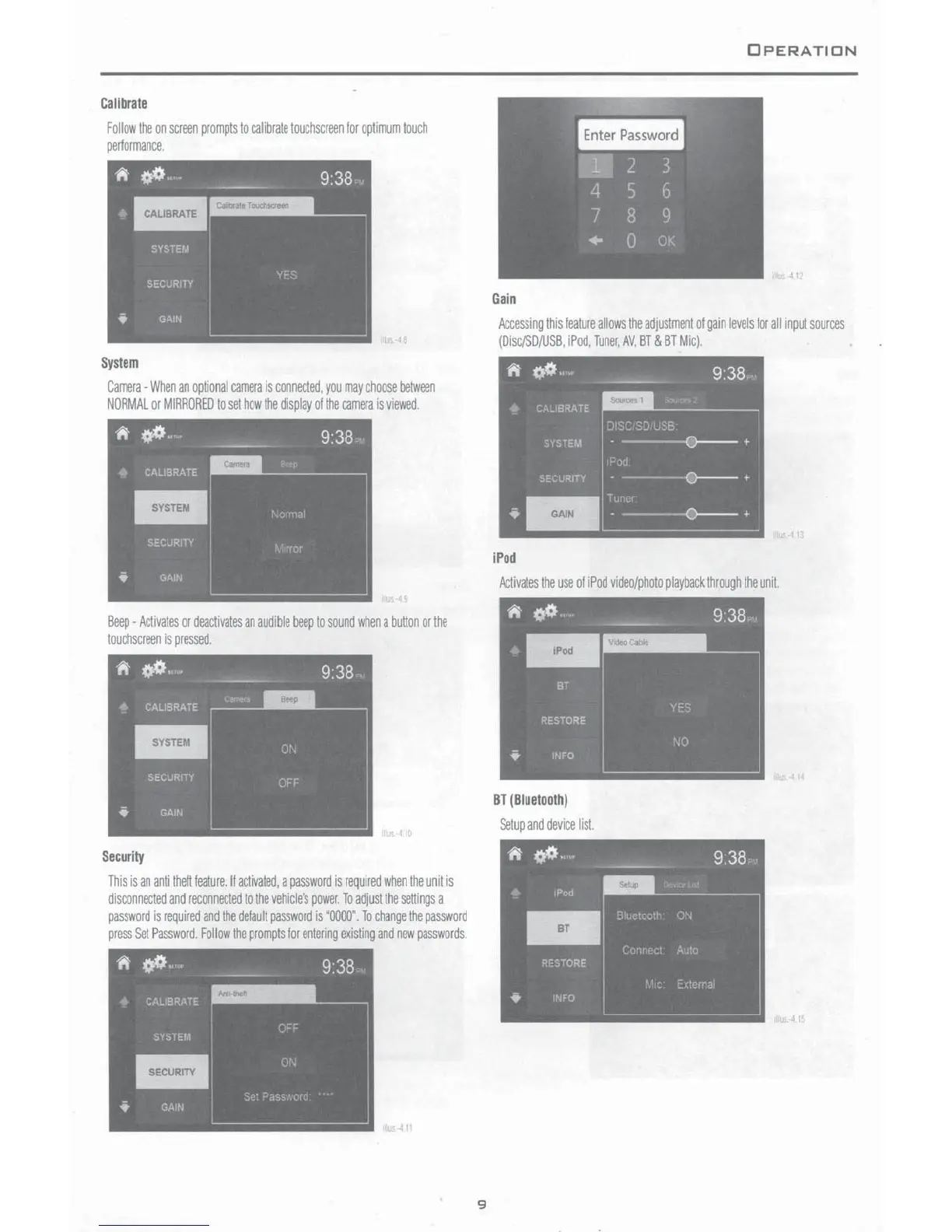
Calibrate
Follow
the
on
screen
prompts
to
calibrate
touchscreen
for
optimum
touch
performance.
System
Camera
-When
an
optional
camera
is
connected.
you
may
choose
between
NORMAL
or
MIRRORED
to
set
how
the
display
of
the
camera
is
viewed.
Beep
-
Activates
or
deactivates
an
audible
beep
to
sound
when
a
button
or
the
touchscreen
is
pressed
Security
This
is
an
anti
thett
feature.
II
activated.
a
password
is
reQuired
when
the
unit
is
disconnected
and
reconnected
to
the
vehicle's
power
To
adjust
the
settings
a
password
is
required
and
the
default
password
is
'0000".
To
change
the
password
press
Set
Password.
Follow
the
prompts
for
entering
existing
and
new
passwords.
9
OPERATION
4 I
Gain
Accessing
this
feature
allows
the
adjustment
of
gain
levels
for
all
input
sources
(Dise/SD/USB.
iPod.
Tuner,
AV.
BT
&
BT
Mic).
iPod
Activates
the
use
of
iPod
video/photo
playback
through
the
unit.
BT
(
Biuetooth
)
Setup
and
device
list
413
'4
41