EasyManua.ls Logo

Lightspeed ANR - User Manual

Lightspeed ANR
2 pages
Print Icon
To Next Page IconTo Next Page
Loading...
Lightspeed ANR
Helmet Installation
Quick Start Guide
Lightspeed Aviation
6135 Jean Road
Lake Oswego, Oregon 97035
LightspeedAviation.com
sales@lightspeedaviation.com
800.332.2421 toll free
503.968.3113 tel
503.968.7664 fax
©2016 Lightspeed Aviation, Inc. All rights reserved. Auto Shuto and ComPriority are trademarks of Lightspeed Aviation, Inc. Lightspeed is a registered trademark of Lightspeed
Aviation, Inc. Bluetooth is a registered trademark of the Bluetooth SIG. iPhone® and iPad® are trademarks of Apple, Inc., registered in the U.S. and other countries. Speci cations subject
to change without notice. 704-00012-000.A1 10/16
For service, contact the authorized Lightspeed ANR installer shown below:
Question and Answer IconNeed help?

Do you have a question about the Lightspeed ANR and is the answer not in the manual?

Lightspeed ANR Specifications

General IconGeneral
BrandLightspeed
ModelANR
CategoryMotorcycle Accessories
LanguageEnglish

Summary

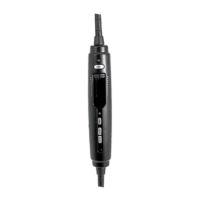
Lightspeed ANR Controller Overview

Controller Components

Familiarize yourself with the controller's power, volume, and Bluetooth interface elements.

Battery Installation

Instructions for opening the battery door and inserting AA batteries correctly.

Bluetooth Connectivity

Initial Bluetooth Pairing

Steps to turn on the controller, initiate pairing mode, and connect to a phone.

Bluetooth Call Features

Using the Bluetooth button for voice dialing, answering, ending calls, and redialing.

DIP Switch Settings

Stereo;Mono Setting

Configure audio output for stereo or mono panels, typically set to mono.

Cell Mic Bias

Enable phone calls with battery-powered controllers when not plugged into the audio panel.

Noise Gating

Eliminate low-level sound thresholds to avoid missing soft radio signals.

FlightLink Activation

Enable the FlightLink app by setting the relevant DIP switch to ON.

FlightLink App Usage

FlightLink Application

Description of the in-flight cockpit recording app for capturing communications.

Toggling Between Apps

Instructions for switching apps on your device while recording continues.

Product Specifications

General Specifications

Details on battery supply, component weight, and panel voltage compatibility.

Audio and ANR Specifications

Transducer type, frequency response, impedance, and maximum SPL for ANR.

Warranty Information

Information on the 3-year limited warranty and support contact.