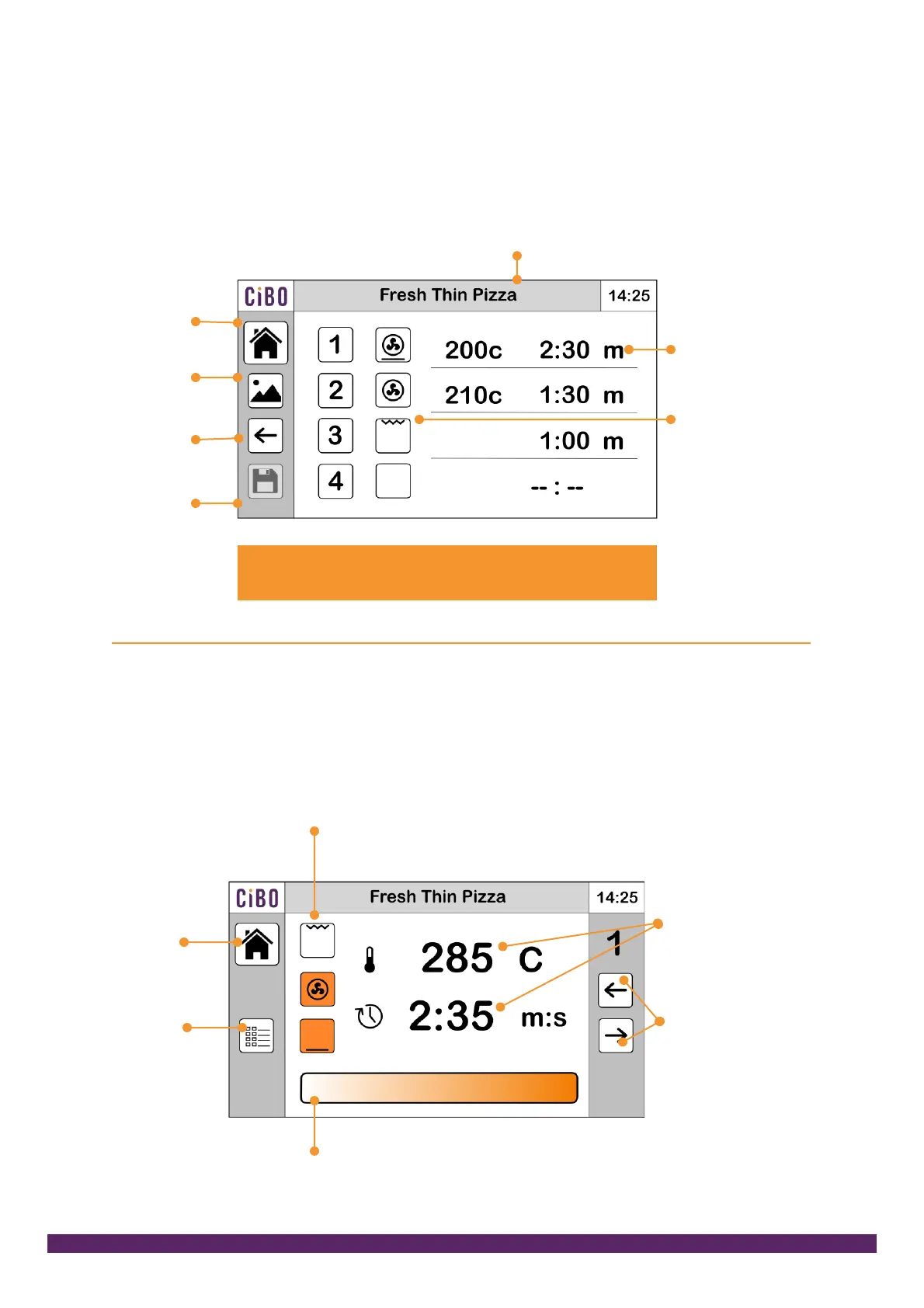
Recipe summary and edit screen
This is where you view your recipe with changes highlighted in orange. Press on the
steps to edit them. Press on the name bar to rename the recipe. Attach or change
an icon from the library. Click on to save to keep your recipe. Or exit without saving.
Steps – touch
to add or edit
recipe steps
Shows which
heat sources
are used in
each step
The settings you have changed will be highlighted in
orange. Once saved they return to black
Step screen
This is where you adjust the times, temperature and select the heat sources. The
recipe summary button takes you back so you can review changes and save or exit.
Switch on and off the heat sources – Grill (top),
Oven (middle) and base (bottom). Grill can only
run on its own due to the 13A power limit
Touch time or
temp then adjust
with the slider
Move between steps.
If you are ready to
review the changes
press the recipe
summary button and
save or exit
Tap the end of the bar for small
increments, swipe for larger increments


 To Next Page