EasyManua.ls Logo

Lincat CIBO - Updating Your CIBO; Controller Software Updates; Recipe Management with USB

Lincat CIBO
8 pages
Print Icon
To Previous Page IconTo Previous Page
Loading...
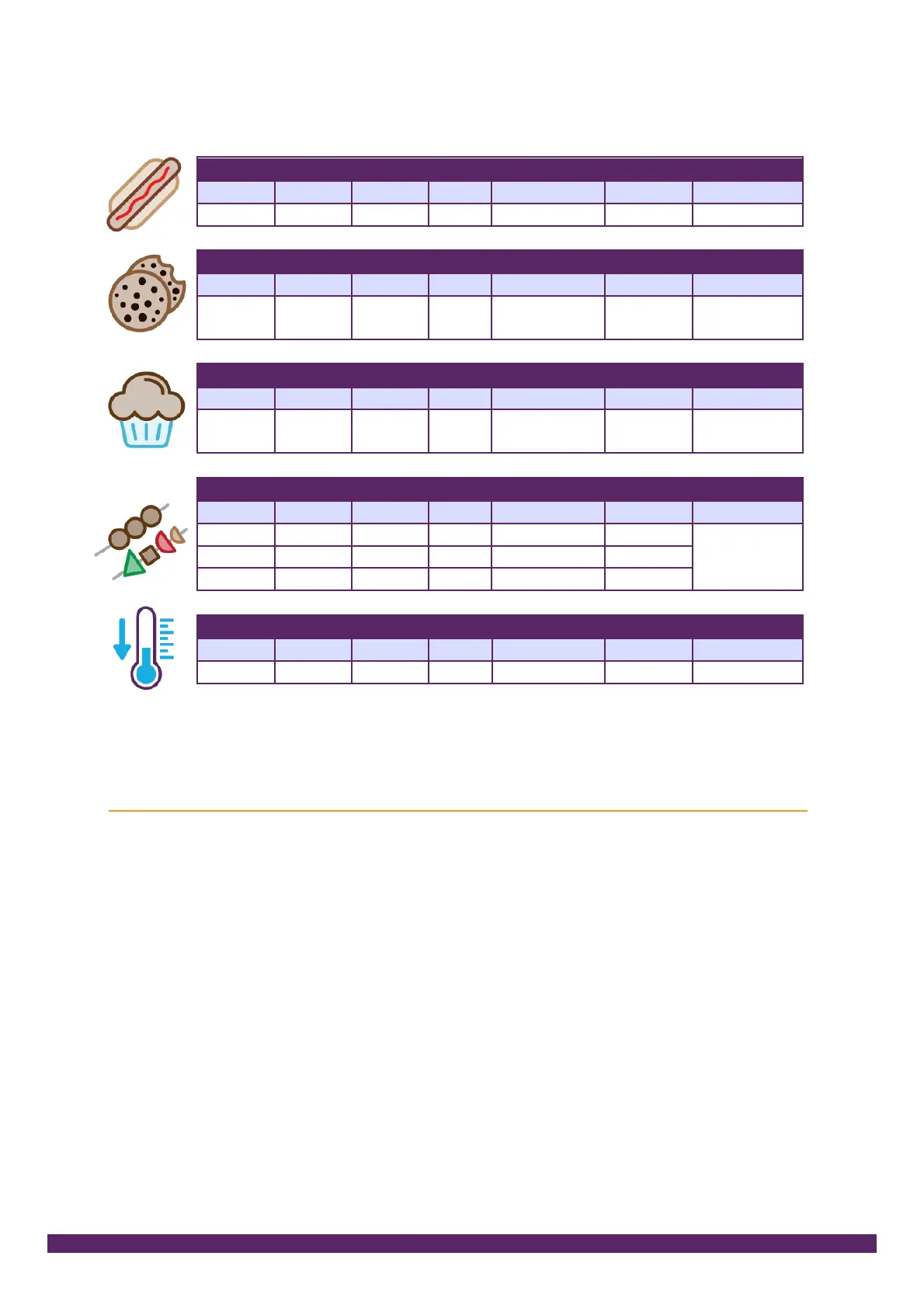
Hot Dogs in metal gastronorm covered in brine 7:00 cook time
Oven
Base
Grill
Temperature
Time
Cook on?
Step 1
Y
Y
245
7:00
Gastronorm
Cookies 16:00 cook time
Oven
Base
Grill
Temperature
Time
Cook on?
Step 1
Y
165
16:00
Teflon on
tray on rack
Muffins 20:00 cook time
Oven
Base
Grill
Temperature
Time
Cook on?
Step 1
Y
160
20:00
Muffin tray
on rack
Kebabs 3:50 cook time
Oven
Base
Grill
Temperature
Time
Cook on?
Step 1
Y
Y
285
2:35
Teflon on
tray
Step 2
Y
280
0:50
Step 3
Y
-
0:25
Cool down (with door open) 10:00 time
Oven
Base
Grill
Temperature
Time
Cook on?
Step 1
Y
30
10:00
-
Updating your CIBO
The CIBO controller can be updated with the USB key supplied. You can:
1. Update the controller and we may ask you to do this if you call for support.
The files can be downloaded from cibo-oven.com or we can send you a
new USB key. Our service desk will take you through the stages.
2. Recipes can be saved and loaded into another CIBO. Call us for help.

Related product manuals