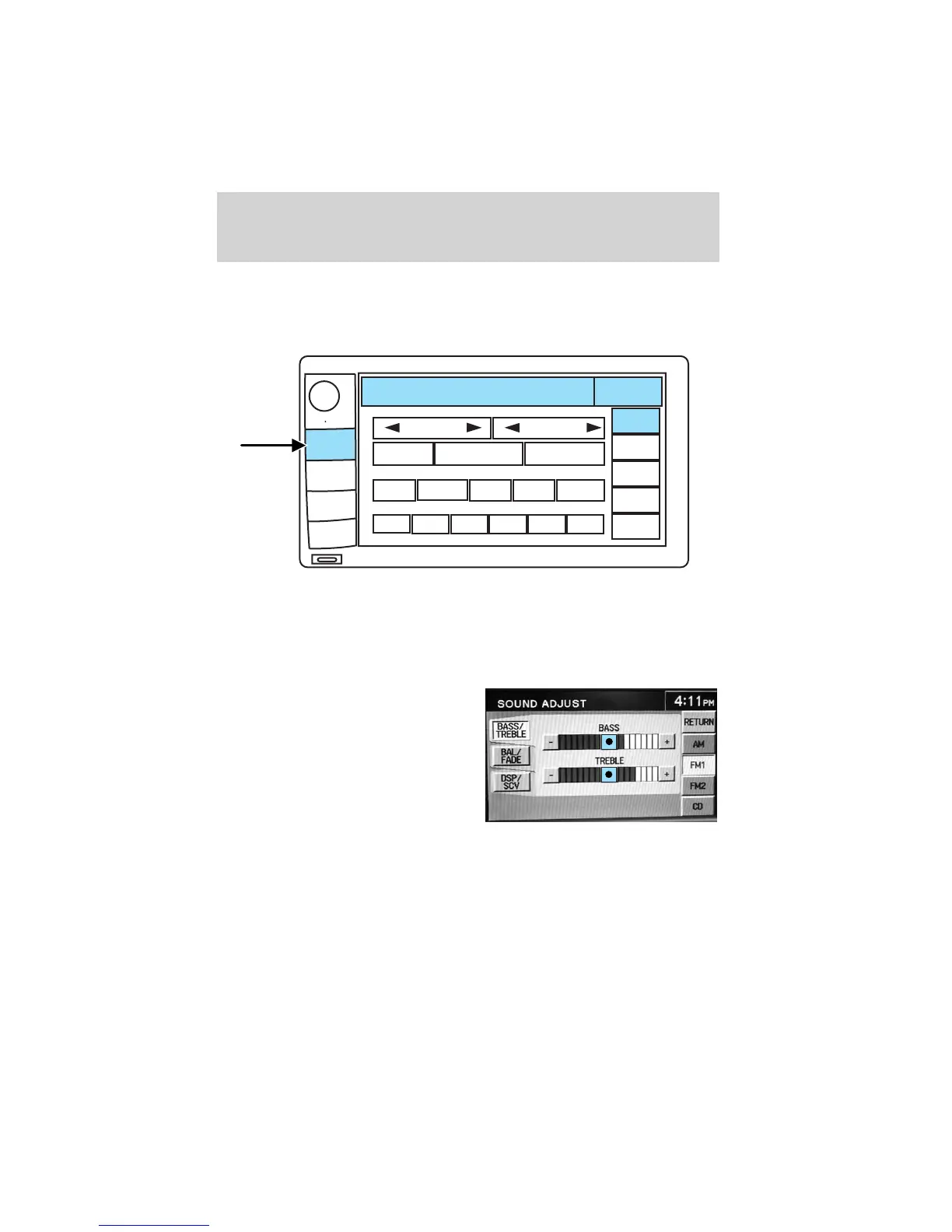
Sound functions
To access settings for Bass, Treble, Balance, Fade, DSP (Digital Signal
Programing), SCV (Speed Compensated Volume), and Occupancy modes:
1. Press AUDIO.
2. Press SOUND.
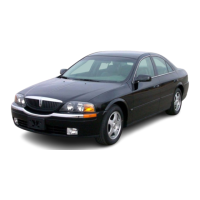
3. Select from Bass/Treb; Bal/Fade; DSP/SCV.
4. Press +/— to increase/decrease the levels.
Bass : Allows you to increase or
decrease the audio system’s bass
output.
Treble : Allows you to raise or
lower the audio system’s treble
output.
CD OPEN • CLOSE
MENU
DEST
MAP
AUDIO
VOL PUSH
FM1
87 . 7
MH
Z
4:17
AM
SOUND
AM
FM1
FM2
CD
SEEK
TUNE
PRESET SCAN
AUTO SET
SCAN
RDS
TRAFFIC
INFO PTY
SET PTY
87.9
89.9
98.1
98.5 106.3 107.9
Entertainment Systems
36












 To Next Page