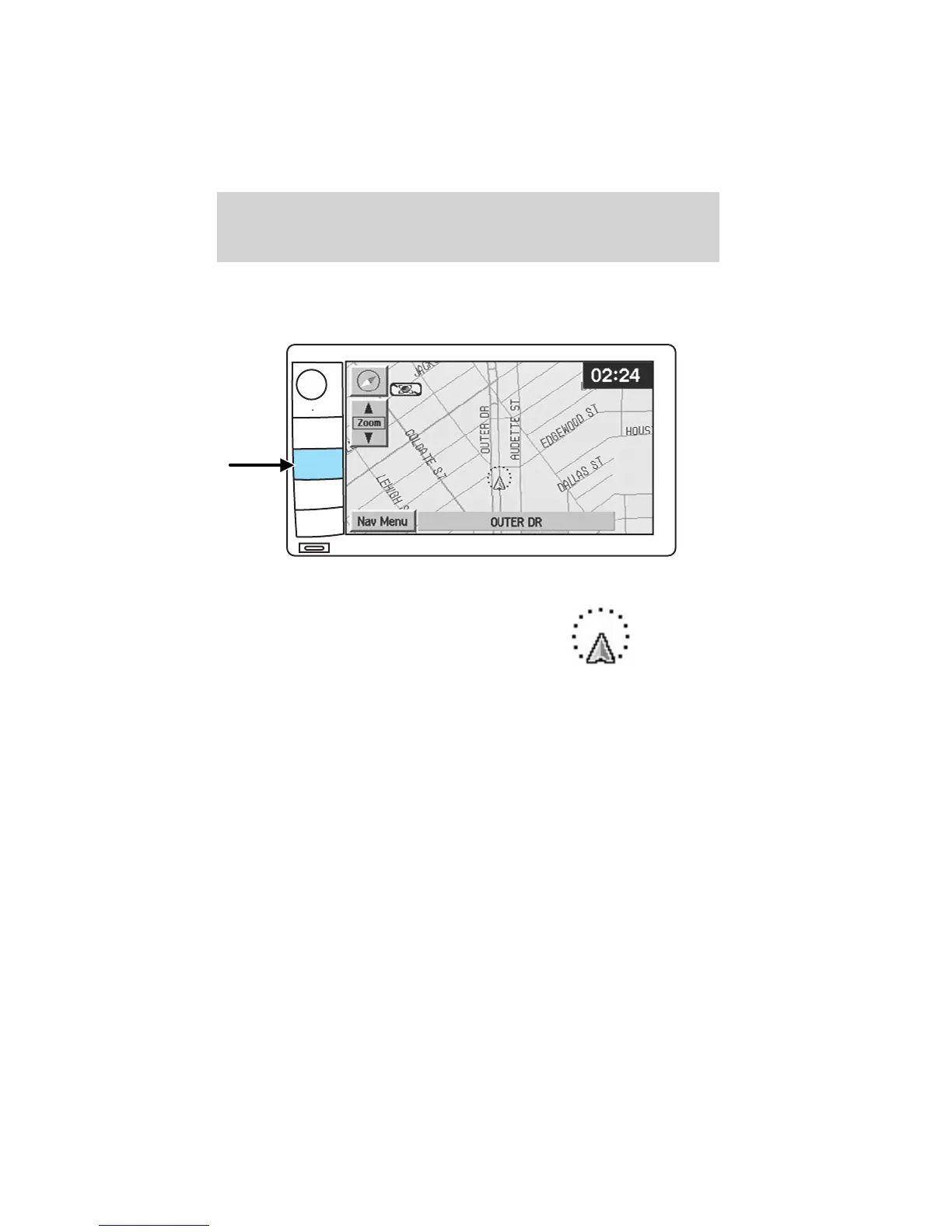
Map mode
Map display information
To access the map display, press MAP on the bezel.
Once pressed, the current map
display will appear on the screen
showing the current vehicle
location.
Zoom control
When ’Zoom’ is pressed, the scale indicator is shown on the screen. The
scale markings are: 1/32, 1/16,1/4, 1/2, 1/8, 1, 2, 4, 8, 16, 32, 64, 128
miles. The control can be used in a number of ways:
• touch and hold one of the arrow buttons for the map to be displayed
again at each zoom level.
• touch one of the arrow buttons repeatedly for the map to be displayed
again at the final zoom level.
• touch one of the segments of the scale indicator for the map to be
displayed at the selected zoom level.
CD OPEN • CLOSE
MENU
DEST
MAP
AUDIO
VOL PUSH
Entertainment Systems
41









 To Next Page