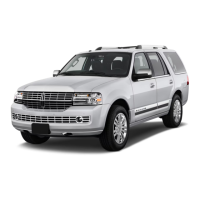
2018 NAVIGATOR
76
7 Information and Entertainment Display
8 Service Engine Soon Light
Lights briefly when you switch the ignition
on. If it remains on or blinks after you start the
engine, the On-Board Diagnostics (OBD-II)
system detects a problem. Drive in a moderate
fashion and contact an authorized dealer as
soon as possible.
9 Steering Wheel Controls
There are four banks of steering wheel controls,
controlling the audio, voice, cruise and
information displays.
Audio Controls
Press VOL + or – to increase or decrease
volume levels.
Press
to mute the active audio.
Press |⊳ or ⊲| to access the previous or next
radio station preset, CD track or preset satellite
radio channel*.
Voice Controls
Press to access voice recognition.
Use the toggle control and the OK button to
select and confirm options for SYNC 3.
Press the
button to exit a menu.
Adaptive Cruise Control*
The system adjusts your speed to maintain a
proper distance between you and the vehicle
in front of you in the same lane. You can select
from one of four gap settings by pressing the
controls on the steering wheel. The system can
also bring your vehicle to a complete stop
and may resume going forward in
stop-and-go traffic.
Information Display Controls
Press the button to accept or make a call.
Press the
button to reject or end a call.
You can also use the steering wheel buttons
to control the Head Up Display and SYNC 3
screens including the audio, settings,
navigation and information display options
the steering wheel.
10 Liftgate Release
To open or close the power liftgate, press and
release the
control.
11 Hazard Warning Control
Instrument Panel (continued)
*if equipped



 To Next Page
 Loading...