User Manual English
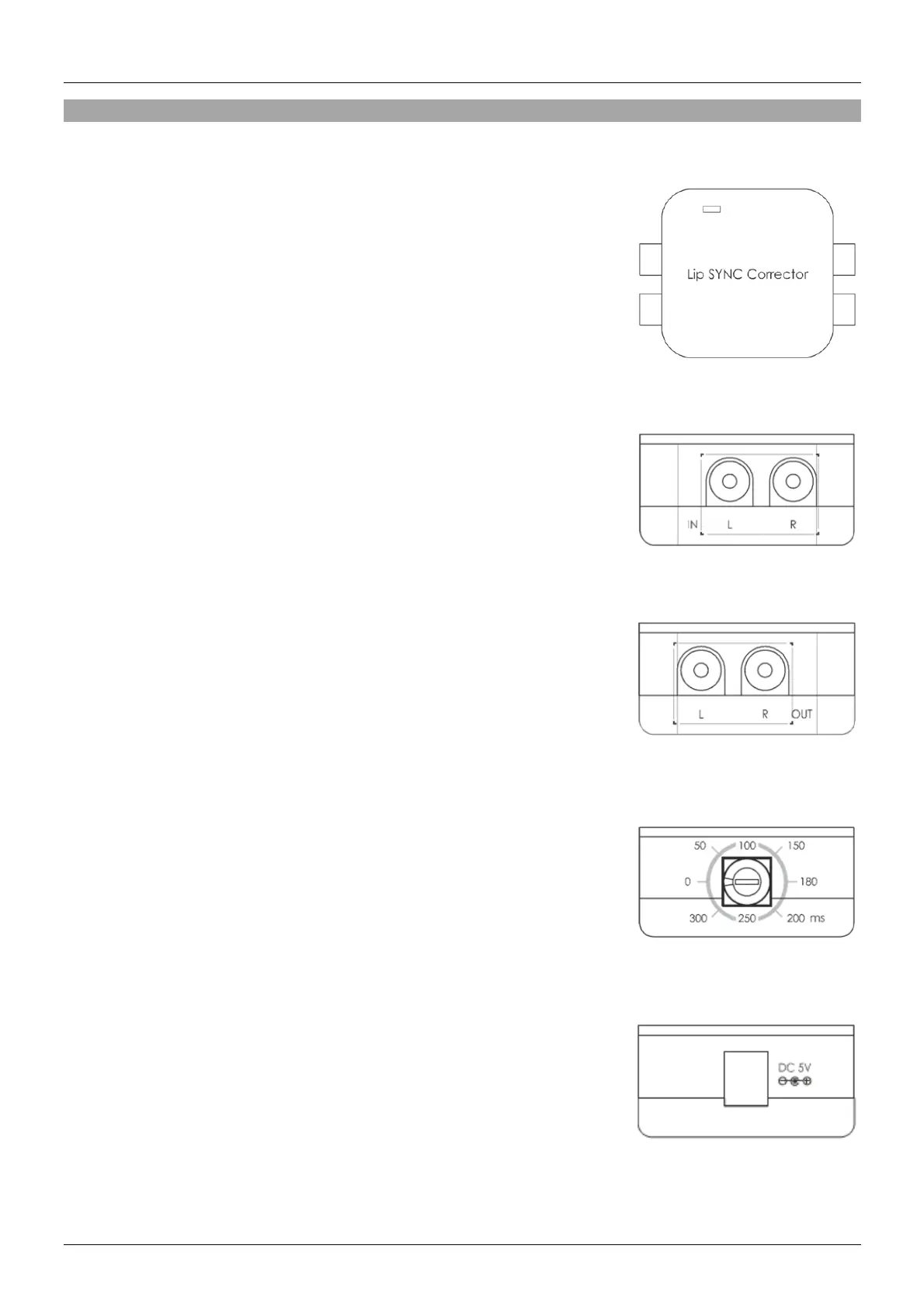
Controls, Ports & Functions
Top Panel
Power LED: The LED will illuminate blue when power is connected
Left Panel
Left/Right In: These ports are to be connected to your source device
using stereo phono cables in order to receive an audio
signal
Right Panel
Left/Right Out: These ports are to be connected to your Amplifier,
Speaker or TV using stereo phono cables in order to
output an audio signal
Front Panel
Lip Sync Switch: This switch has eight settings that enables you to set
the audio output delay from 0~300 milliseconds in
order to have perfectly synched audio and video
Back Panel
5V DC In: Connect the supplied mains power supply here


 To Next Page