User Manual English
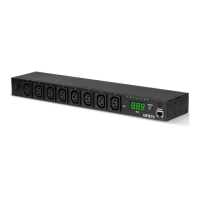
Product Diagram
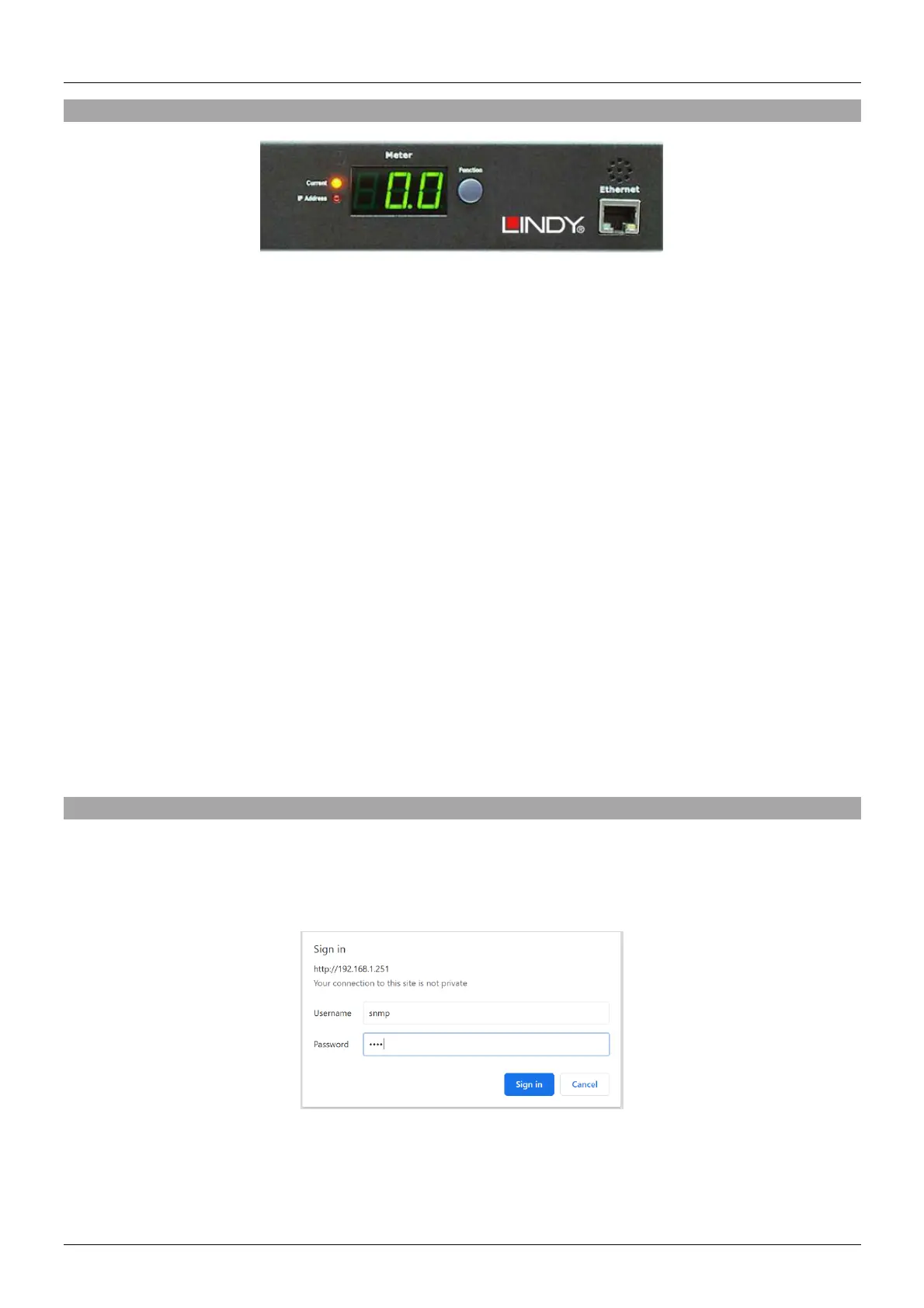
1. Ethernet: Network connection for the built-in web server
2. Audible Alarm:
a. Warning: 1 beep in 1 second
b. Overload: 3 beeps in 1 second
Note: The overload alarm will not stop until the current falls back to 0.5 Amps below the setting
value for the overload warning.
3. Function Button:
a. Press and release this button to turn off the warning audible alarm. The overload alarm can’t
be stopped by pressing this button.
b. Pressing the button and releasing it after to beeps will show up the unit’s IP address.
c. Pressing the button and releasing it after 4 beeps changes the IP address mode from fixed to
DHCP and vice versa.
d. Pressing the button and releasing it after 6 beeps restarts the network interface.
4. Meter: Displays the current or the IP address of the unit.
5. LED Indicator:
a. Current: Lights to indicate that the power consumption is shown in the display.
b. IP address: Lights to indicate that the IP address is shown in the display.
6. Output LED: Indicates, whether a power output is switched on.
Operation
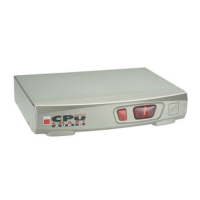
Web Control
Default login name is “snmp” and default login password is “1234”.


 To Next Page