User Manual English
cd /dev
ls-l
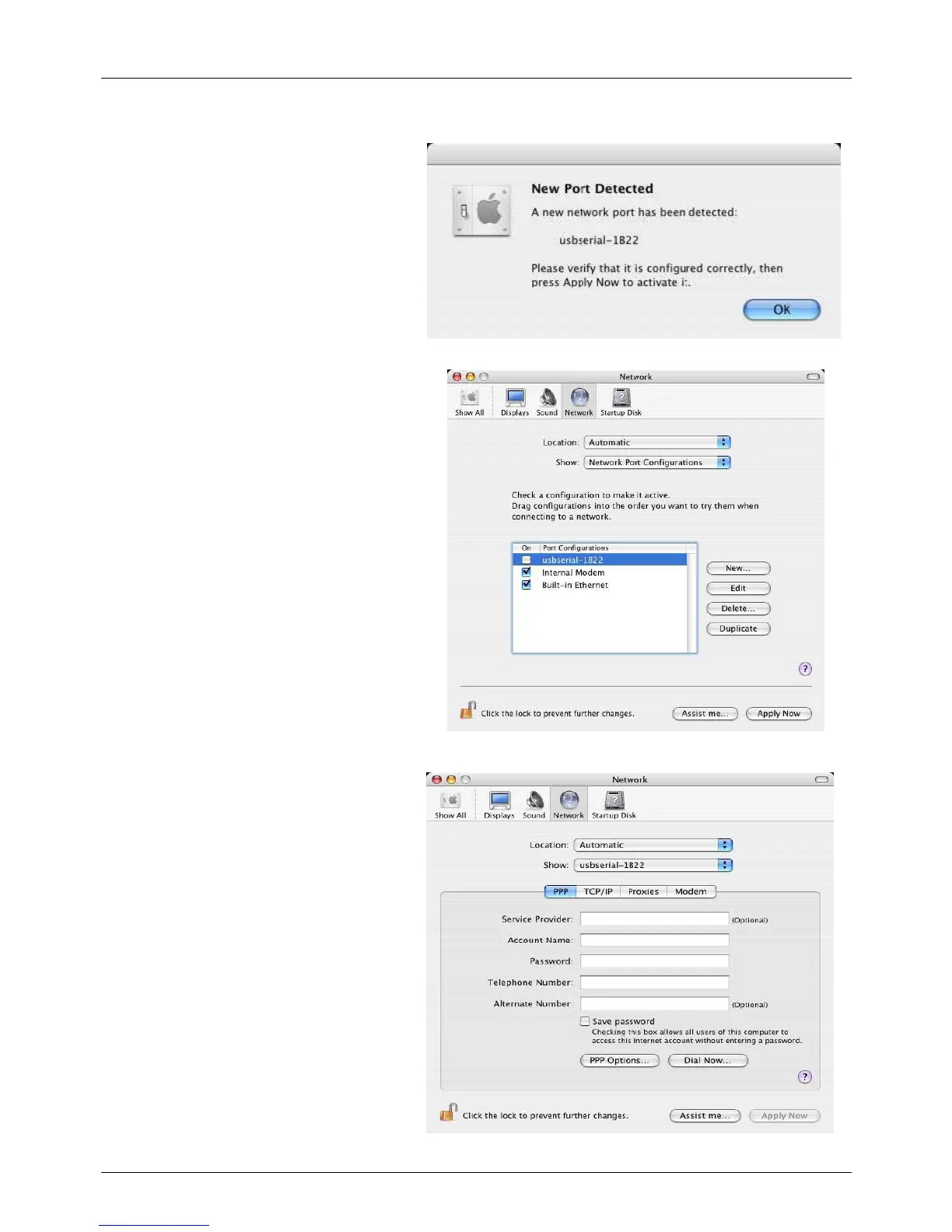
If you run the application System
Preferences and select Network (Go >
Applications > System Preferences >
Network), you should see the text "New
Port Detected".
Click OK and select Network Port
Configurations from the list. The new port can
be enabled from this screen by checking the on
box and clicking Apply Now.
At this point, it is possible to exit the
network and use the device as a COM port.
If you wish to set the device up as a
modem for an Internet connection, select
the new port from the shown list to display
the window.


 To Next Page