User Manual English
Installation
If you have internet connectivity then drivers will be installed automatically when you connect the USB
RS232 Extender.
Connect the Transmitter unit to the host computer via USB and the Transmitter to the Receiver with Cat.5
(or higher) cable up to a maximum length of 2000m. The power LEDs will light up on both the Transmitter
and Receiver
Windows 7 / 8 / 8.1 / 10 or later
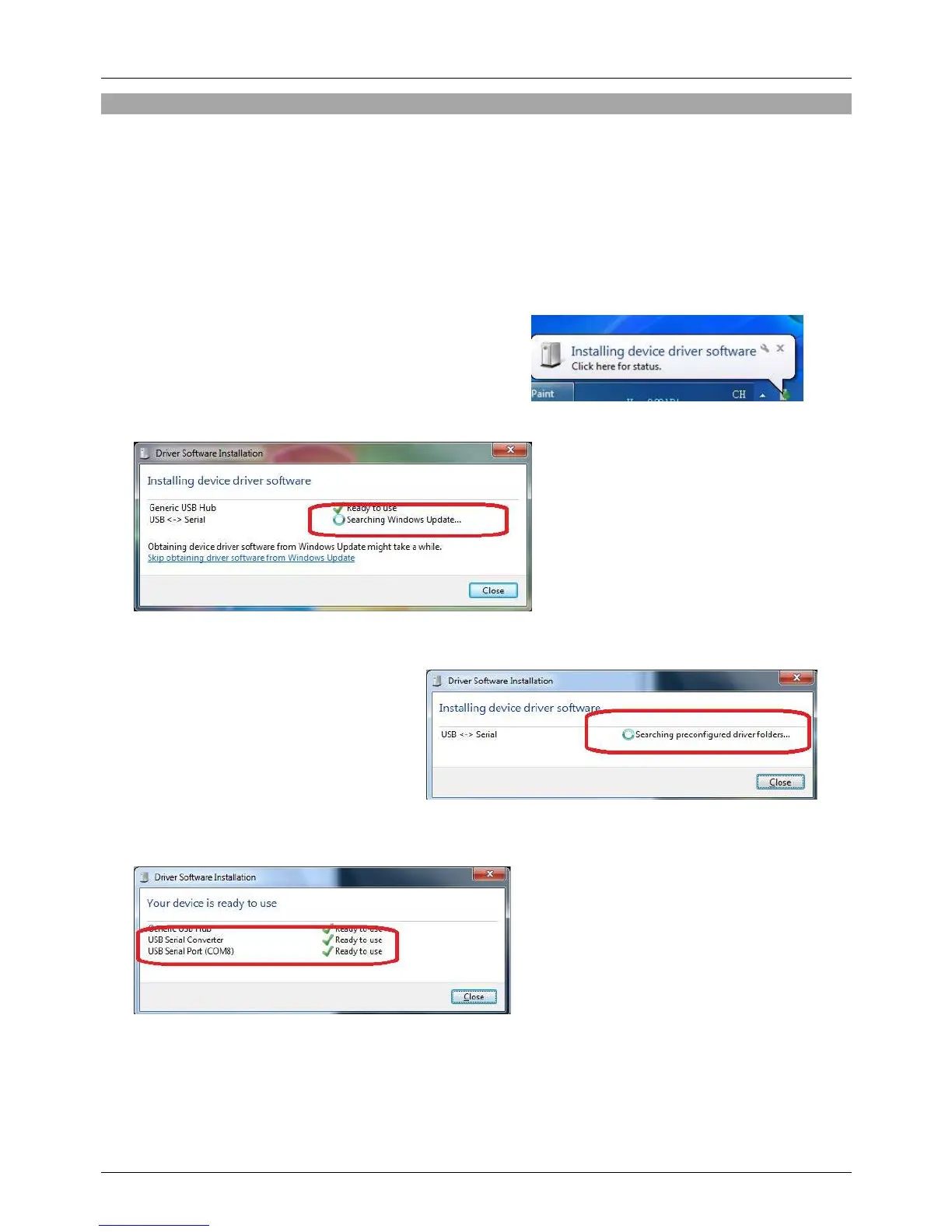
1. “Installing device driver software“ will pop up from the
taskbar. Click to show the status.
2. The program will search via Windows Update:
3. When the applicable driver is detected,
the device driver software will be
installed automatically.
4. When the USB Serial Port is installed, please close the window.


 To Next Page