EasyManua.ls Logo

LINHOF Super technika - Page 10

Default Icon
25 pages
Print Icon
To Next Page IconTo Next Page
To Previous Page IconTo Previous Page
Loading...
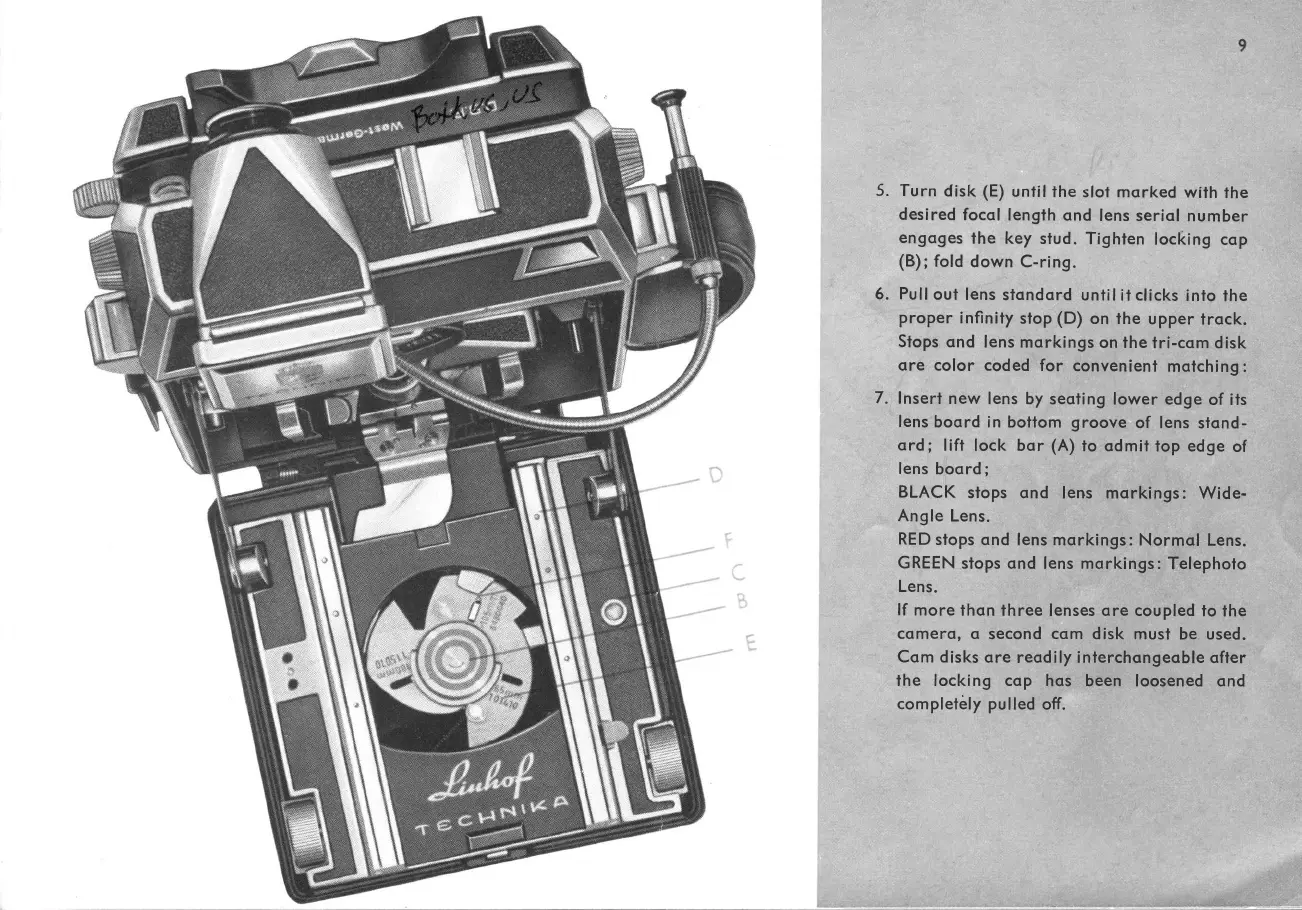
5.
6.
Turn
disk (E)
unfil
the
slot
mqrked
with
the
desired
focql
length ond
lens seriol
number
engoges
the key
stud.Tighien
locking
cqp
(B);
fold
down C-ring.
Pull
out
lens
stondord
untilit
clicks
into
the
proper
infinity
stop
(D)
on the
upper
trqck.
Stops
ond
lens morkings
on the
tri-com
disk
ore color coded
for convenienl
motching:
lnsert
new
lens
by seoting
lower edge
of its
lens
boord in bottom groove
of lens
stond-
ord;
lift
lock bor
(A)
to odmit
top edge
of
lens
boord
;
BLACK
stops
qnd
lens morkings:
Wide-
Ang
le Lens.
RED
stops
ond lens
mqrkings: Normol
Lens.
GREEN
stops ond
lens
morkings:
Telephoto
Lens.
lf
more
thqn three
lenses
ore coupled
to
f he
comero, <r
second
com
d isk must
be used.
Com d
isks
qre
reod
ily inferchongeoble
qfter
the locking cqp
hqs been
loosened ond
com
pletely pu
lled off.
7.