Dual Mode Cordless Phone for Yahoo! Messenger with Voice
18
Chapter 3: Get Connected
Install the PC Phone Software
4. Click the Apply button.
5. Click the Volume button.
6. To obtain the best sound quality, adjust the volume using the slider. Close the window when finished.
7. Return to the Sound Playback drop-down menu, and select your original sound device.
8. Click the OK button.
Windows 2000
1. Click Start and select Settings. Click Control Panel.
2. Double-click Sound and Multimedia.
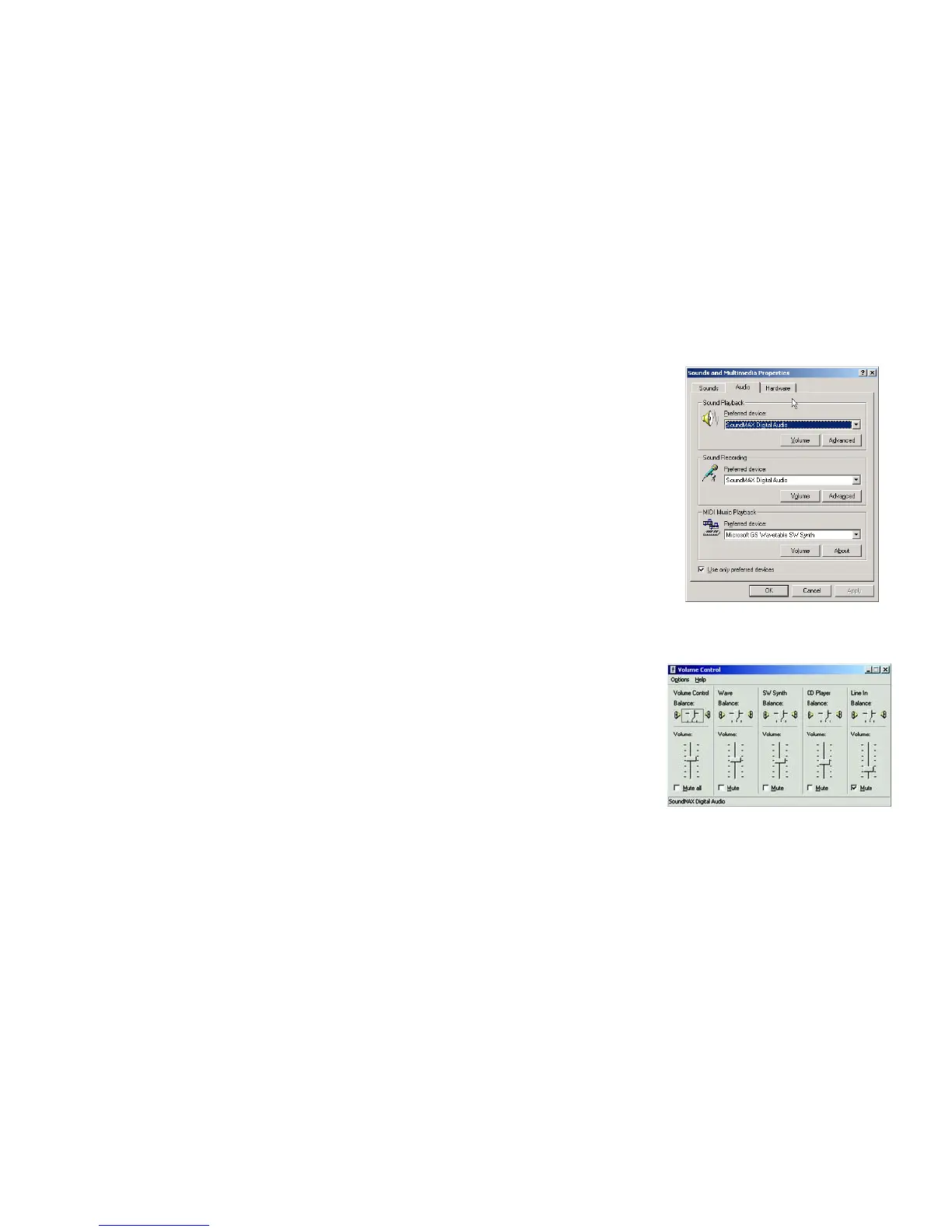
3. Click the Audio tab.
4. From the Sound Playback drop-down menu, select your sound card.
5. Click the Apply button.
6. Click the Volume button.
7. Adjust the volume using the slider to obtain the best sound quality.
8. Close the window when finished.
9. Return to the Sound Playback drop-down menu, and select your original sound device.
Figure 3-7: Volume Control for
Windows 2000
Figure 3-6: Audio for Windows 2000



 To Next Page