6
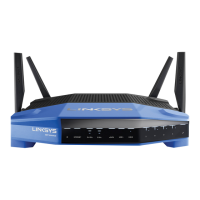
(3) Ethernet ports—Connect Ethernet cables to these blue gigabit (10/100/1000) ports, and to
wired devices on your network.
Note
—
For best performance, use CAT5e or higher rated cables on the Ethernet ports.
(4) Internet port—Connect an Ethernet cable to this yellow gigabit (10/100/1000) port, and to a
broadband Internet cable/DSL or fiber modem.
Note
—
For best performance, use CAT5e or higher rated cables on the Internet port.
(5) USB 3.0 port—Connect and share a USB drive on your network or on the Internet.
(6) USB 2.0/eSATA combo port—Connect and share a USB or eSATA drive on your network or on
the Internet. You can also connect a USB printer and share it across your network.
(7) Reset button—Press and hold for 10 seconds (until the power LED starts flashing) to reset the
router to factory settings. You can also restore the factory settings using Linksys Smart Wi-Fi on
the Internet or mobile app.
(8) Power port—Connect the included AC power adapter.
(9) Power button (EU models only)—Press to turn on the router.






 To Next Page